



Use custom boards and dedicated web pages
There are three ways to show web content. Choose by what you want the screen to do.
| Choice | What viewers see | Where to configure it |
|---|---|---|
| Custom Display Module | A supplied cinema board using the player's film/session data. | Settings → Presentation. |
| Live HTML Page | A screen that stays on a web page, such as a concession menu. | Settings → Presentation. |
| URL Poster advert | A web page inserted temporarily between film posters. | Advertising Assets, plus Playlist and Advertising settings. |
Use a Custom Display Module
A module is a small display package supplied as a ZIP file. It can contain a branded session board designed for your cinema. You do not need to edit its code to install it.
- Obtain the module ZIP from a trusted supplier.
- Open Settings → Presentation.
- Under Custom Display Modules, select Install display module and choose the ZIP.
- Set Content Type to Custom Display Module, then choose the installed Display Module.
- Save and check the board's film names, sessions and branding.
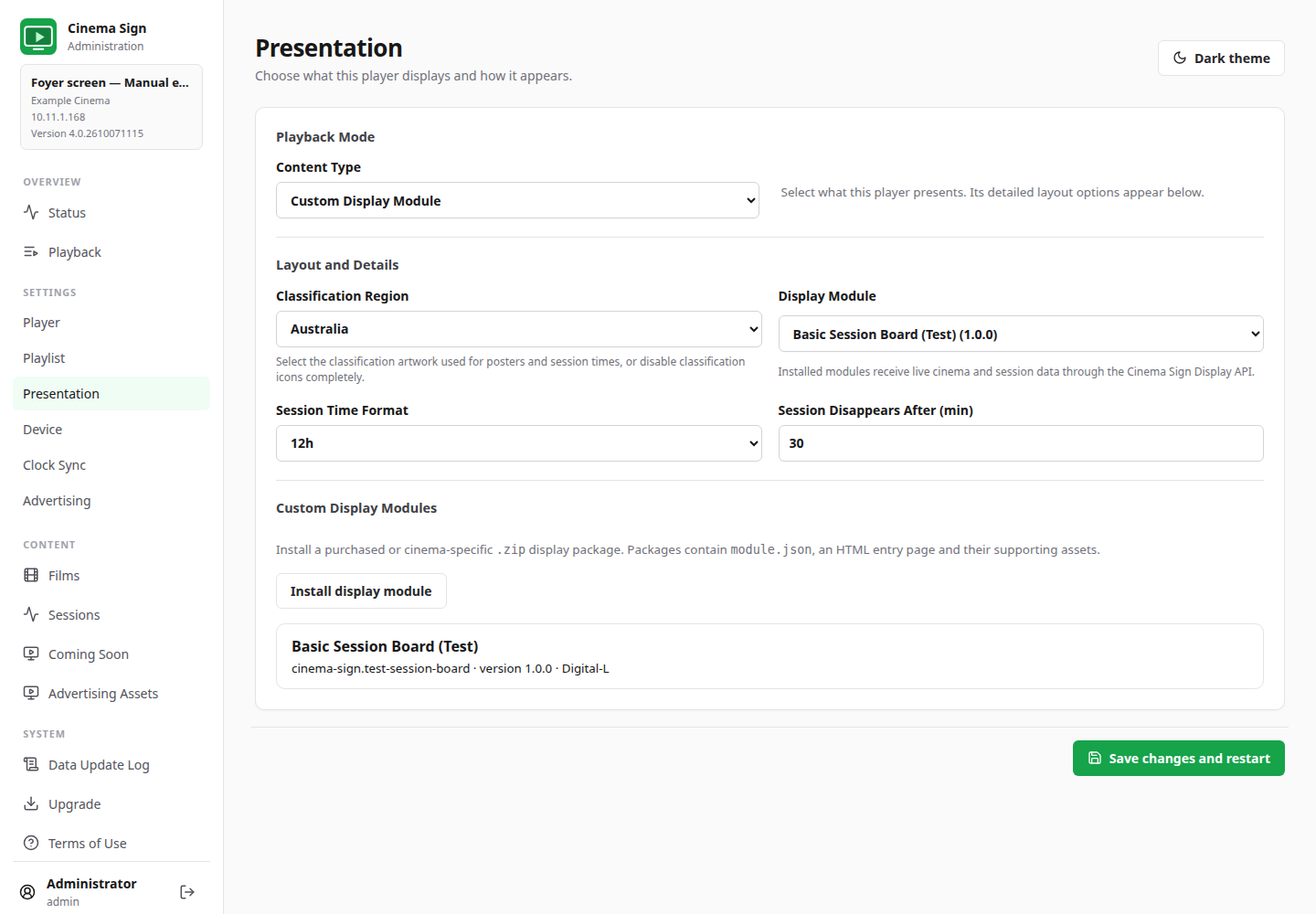
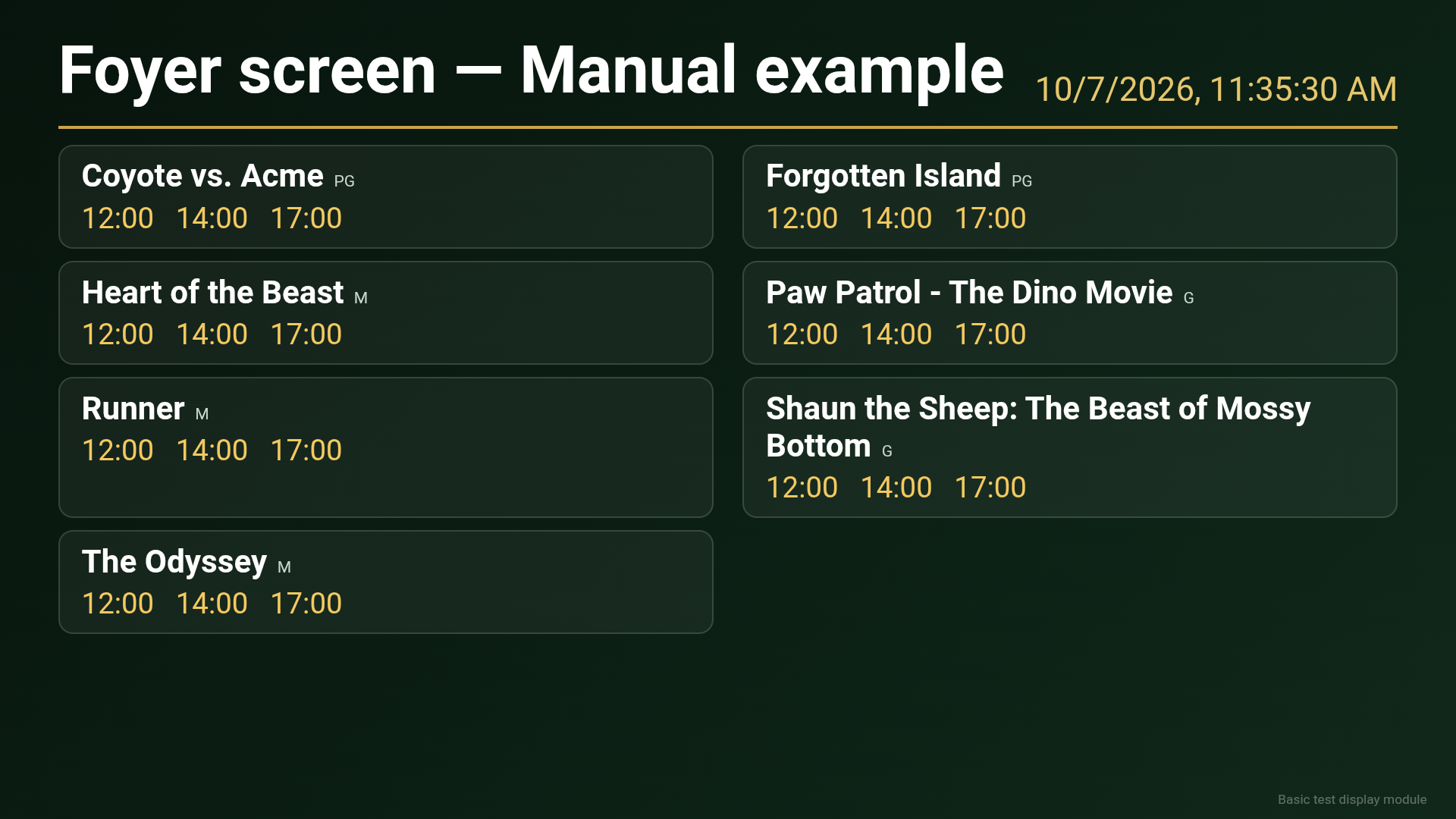
Modules receive fresh data on load and every 30 seconds. The bundled test board demonstrates the feature; a purchased/custom module can have a different layout. If installation fails, ask the supplier to check its package structure and size. Reinstalling the same module ID replaces that version.
Use a dedicated Live HTML Page
- Choose a page made to be readable on an unattended screen.
- Set Content Type to Live HTML Page.
- Enter the complete Live Page URL.
- Set Reload Page Every (seconds). Use 0 if the page updates itself.
- Save and check it on the actual television. The screen stays on this page rather than alternating with posters.
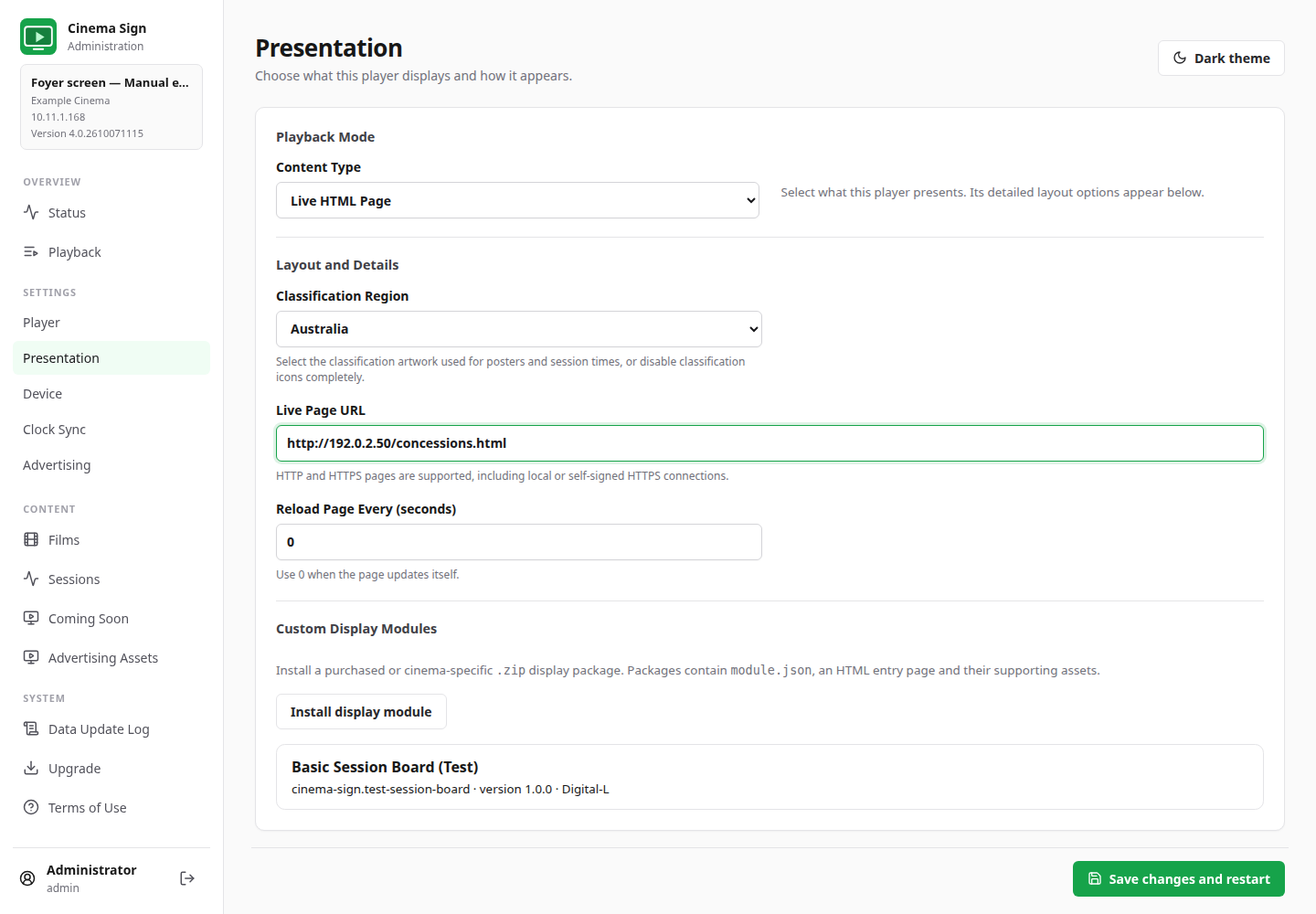
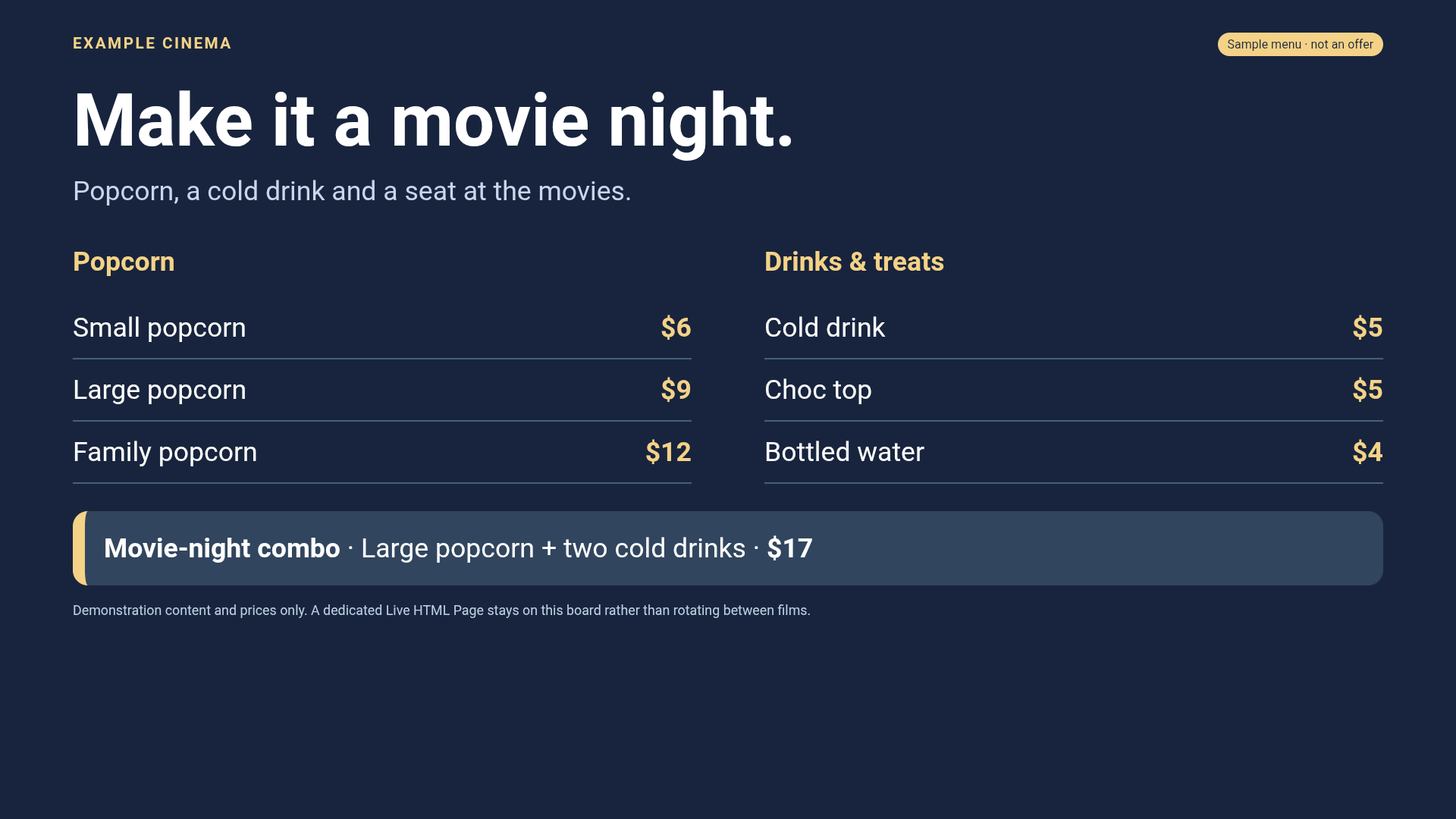
The page needs a working network connection. Cached film posters do not cache an entire website. Choose a page that does not need repeated sign-in, scrolling or customer interaction.
Example pages for your website team
This documentation includes a sample concession board and a sample live notice board. The notice board's clock and sun animate; its weather readings are sample data. Your website team can use these as layout examples and replace the content with the cinema's own information or licensed live data before public use.
Host a page at an address every player can reach. Setting Reload to 0 does not turn static sample readings into live data: the page itself must fetch or update real data.
Different connection policies
Dedicated Live HTML Page supports on-site HTTP and locally issued HTTPS connections. URL poster adverts require valid HTTPS certificates when HTTPS is used. Local modules cannot simply navigate to an external website. If a page fails in one mode, do not assume that every mode has identical network rules.
For a supplier creating a module, see the display-module technical notes. For a page inserted between posters, follow Add a live URL poster advert.
Back to contents ↑
