Cinema Sign 4 · Current capabilities
Cinema Sign features
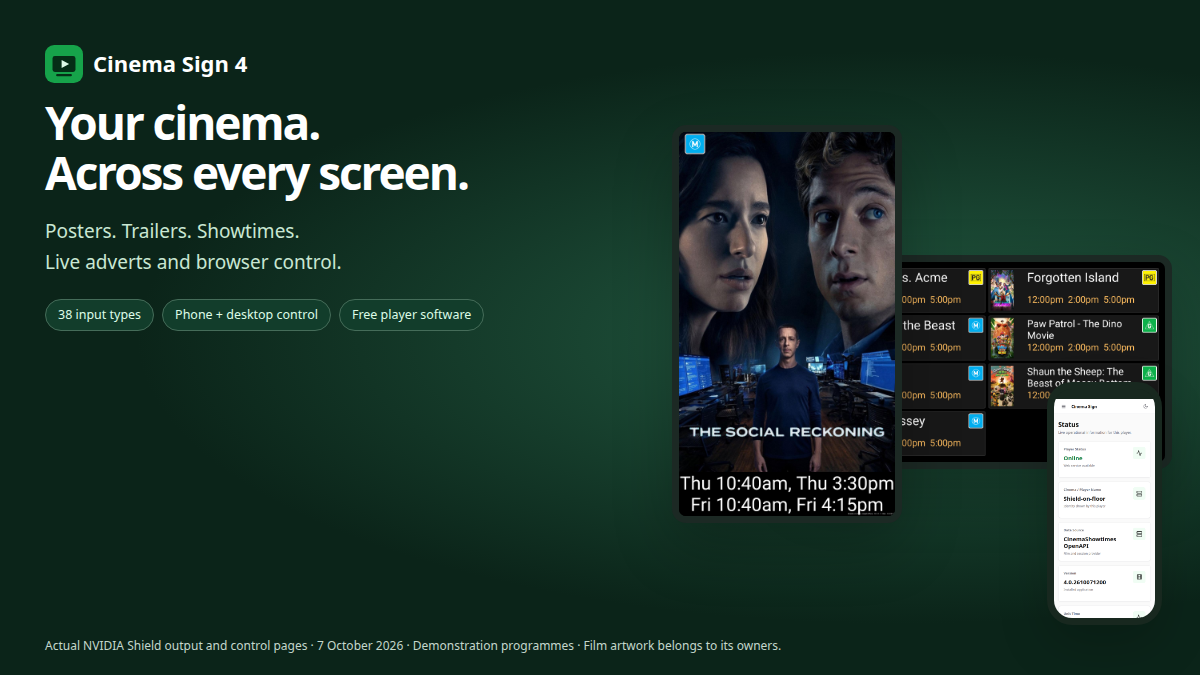
Expanded cinema feeds, real-time web adverts and better browser controls join posters, trailers and showtimes. See the actual current player and choose the features your venue needs.
Expanded cinema connections
More ways to bring your programme to the screen.
Connect your existing ticketing system, use an open feed or share a programme between players. The expanded source collection keeps connection setup, film media and each screen's presentation together in one application.
Start with Manual or Follow Cinema Sign Master. Standard feeds, both BLOAD formats and TaPOS / MEDIA2 come next, followed by previously tested connections and readers with public-programme evidence. The full provider list remains reachable on a phone or a short desktop window.
Native TaPOS XML
TaPOS / MEDIA2 joins BLOAD.
Import dated public performances, posters and the full public film catalogue directly from a MEDIA2 endpoint. Keep TaPOS's Coming Soon status, use unscheduled films or choose titles manually. BLOAD - TaPOS remains a separate text-export option.
Established connections
Keep using Veezi and VenueMaster.
Both have owner-confirmed successful prior tests. The existing Veezi reader was retained during the expansion. CinemaShowtimes OpenAPI, BLOAD.TXT and master-player sharing remain available alongside the new readers.
A wider ticketing collection
Connect more cinema programmes.
Readers include RTS, Spektrix, Eventive, TicketingCiné, Fienta, Ciné Office and more. Provider setup notes explain the feed, credentials and mapping required. Check the status of your connection before committing to a rollout.
Visible import results
Check what the player received.
Test connections where offered, inspect films and sessions, and read import errors in the control panel. Confirm the cinema, venue timezone and publication rules against your ticketing system.
Your media choices survive
Improve artwork without losing control.
Choose posters and playable trailers from d-cine or upload files. Local film/media overrides survive programme imports, and explicitly chosen trailers are retained through automatic scans. d-cine requires your own Media API key.
One programme, several screens
Share data; choose each layout.
Follow a Cinema Sign master for films, sessions and cached media. Keep a portrait poster screen, a trailer screen and a session board on different layouts, with advertising controlled on each player.




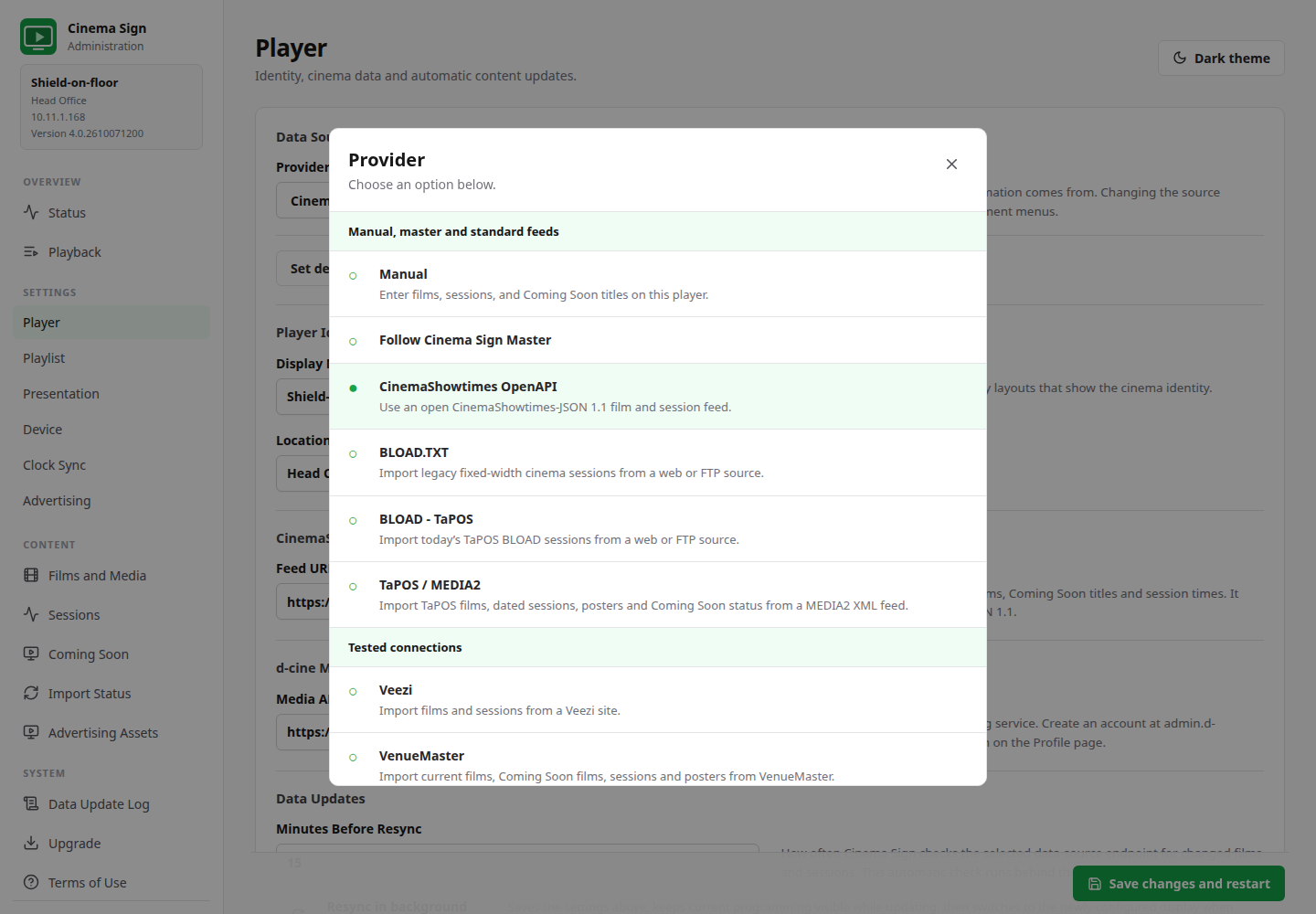
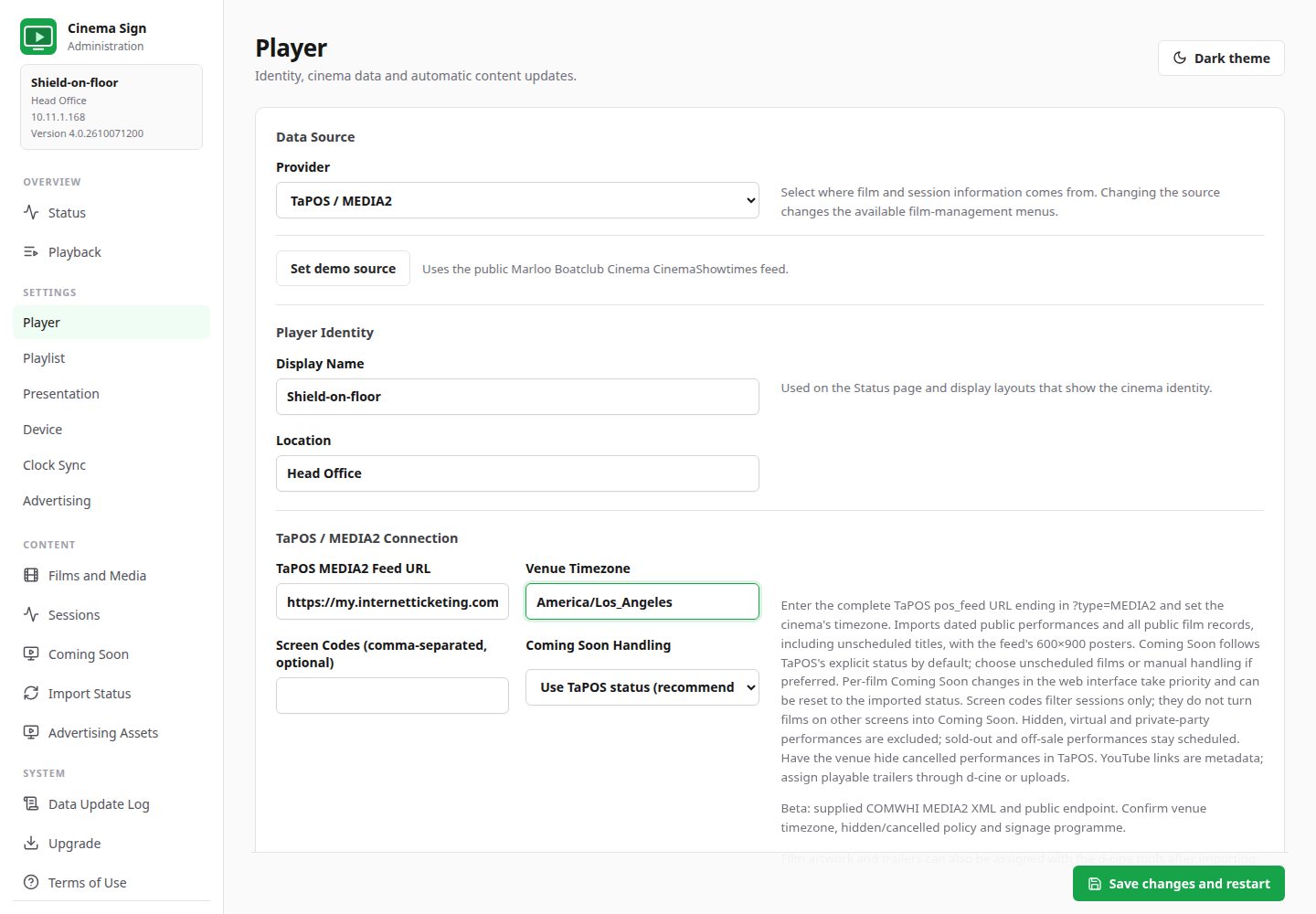
Evidence is visible: 10 ticketing readers have public-programme or vendor demo/sandbox passes; Veezi and VenueMaster have separate owner-confirmed prior tests. The catalogue distinguishes supported, beta, planned and deferred entries, with dated evidence for each.
38 input types does not mean 38 independently proven production APIs. Beta readers, including TaPOS MEDIA2, still need acceptance against your cinema's programme, timezone and publication/cancellation rules. Planned entries are not selectable.
Film displays that fit the screen.
- Poster-only and detailed posters, landscape and ±90° portrait layouts
- Trailer-only and trailer-with-details modes
- Landscape or portrait session-time boards, including automatic row counts
- Poster Fill or Contain and configurable poster duration
- Cut, Fade, Crossfade, Slide Left, Slide Right and Zoom transitions
- Transition durations limited to one quarter of the poster period
- Trailer start/end offsets and local video playback
- Rotation-aware Coming Soon banners and per-film poster/trailer suppression
- 16 regional classification artwork sets, or Disabled
- 12-hour or 24-hour session times and configurable session disappearance
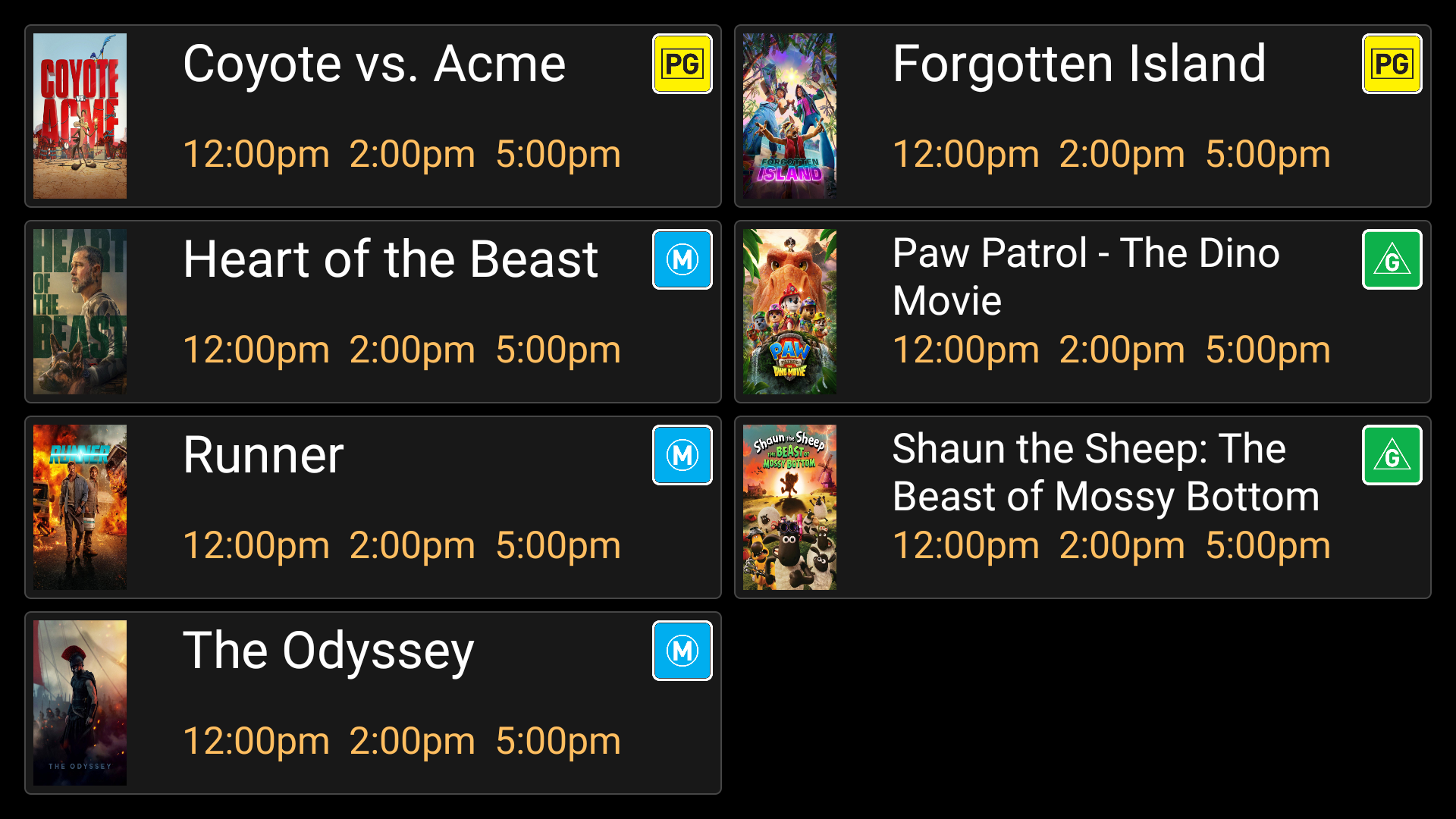
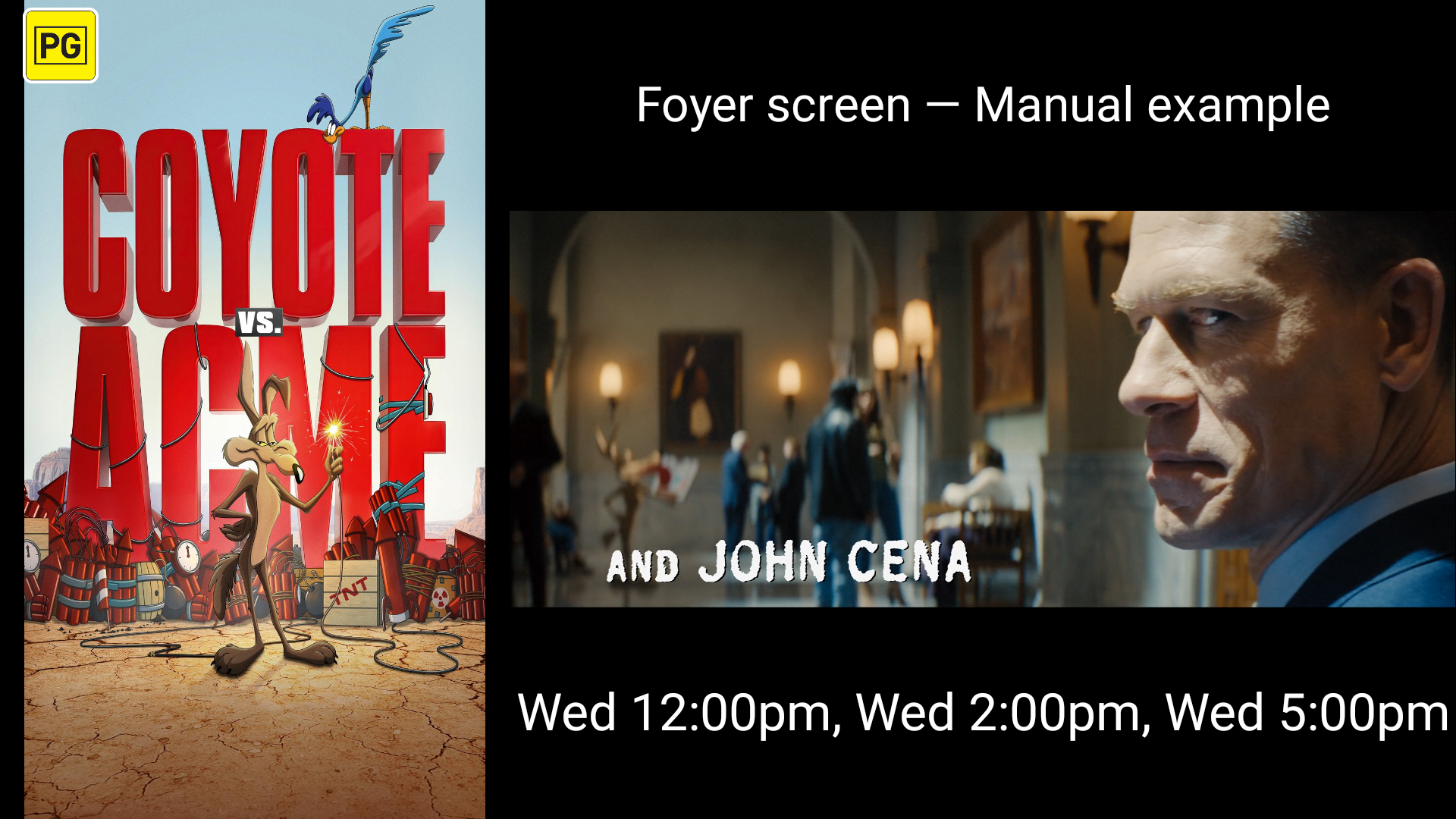
Classification regions: Australia, Canada, France, Germany, Hong Kong, Iceland, India, Japan, Netherlands, New Zealand, Norway, Singapore, South Korea, Spain, United Kingdom and United States. Unknown classifications stay blank rather than showing an incorrect badge.
New display choices in Version 4
Your session board. Your live content.
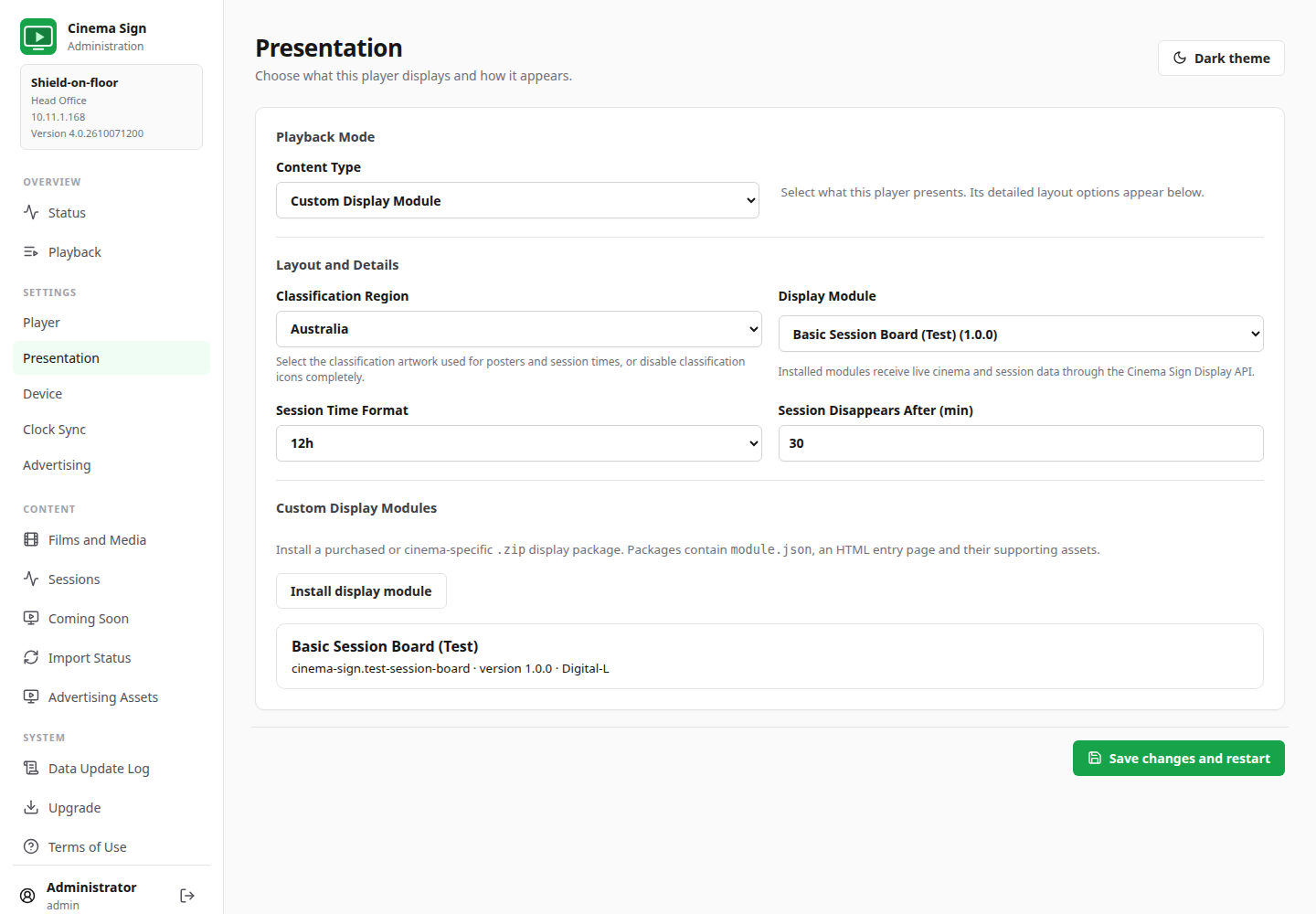
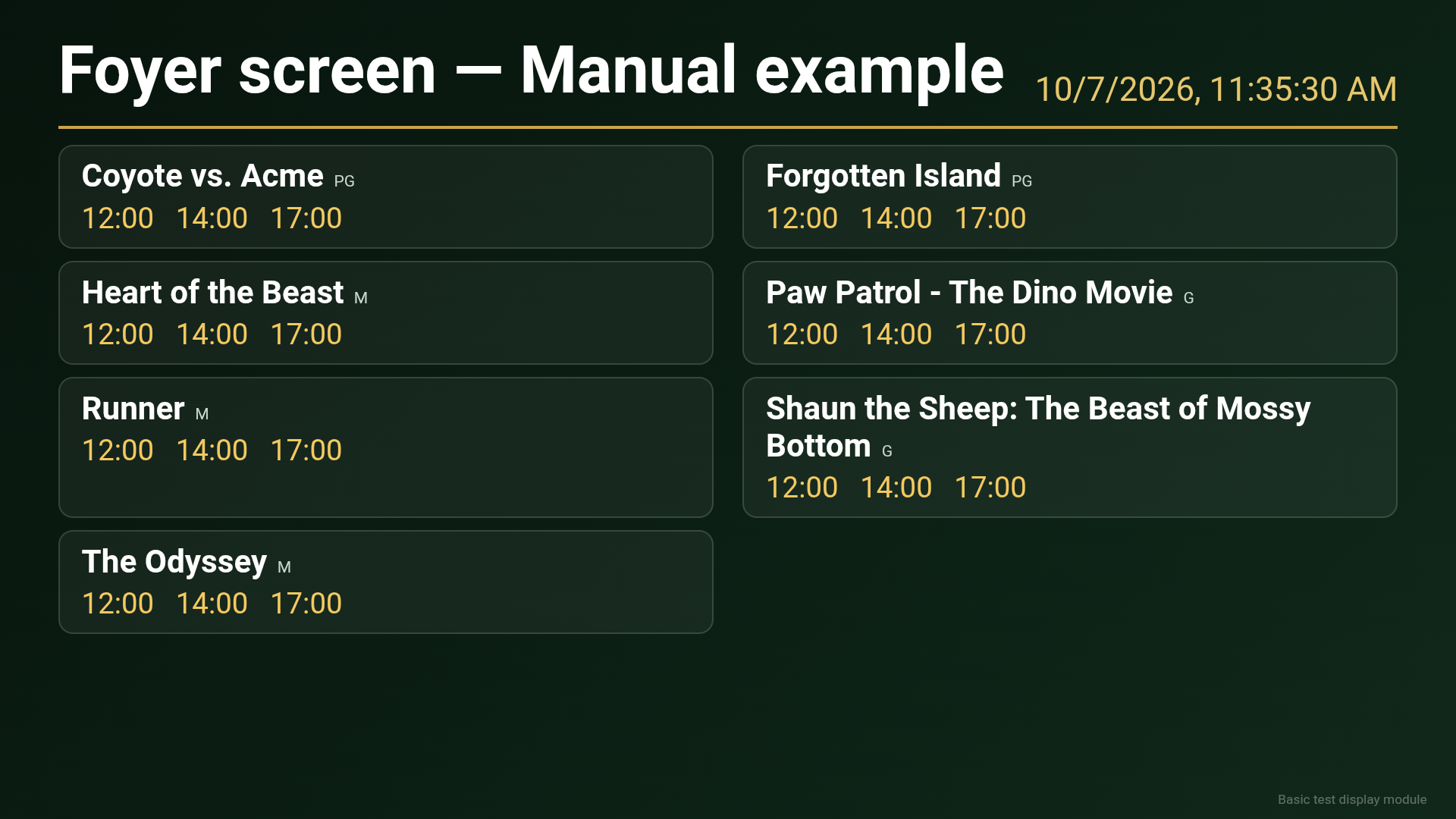
Custom Display Module
Install an HTML ZIP package with its manifest and assets, then choose it under Display settings. Cinema Sign supplies live cinema and session data on load and every 30 seconds.
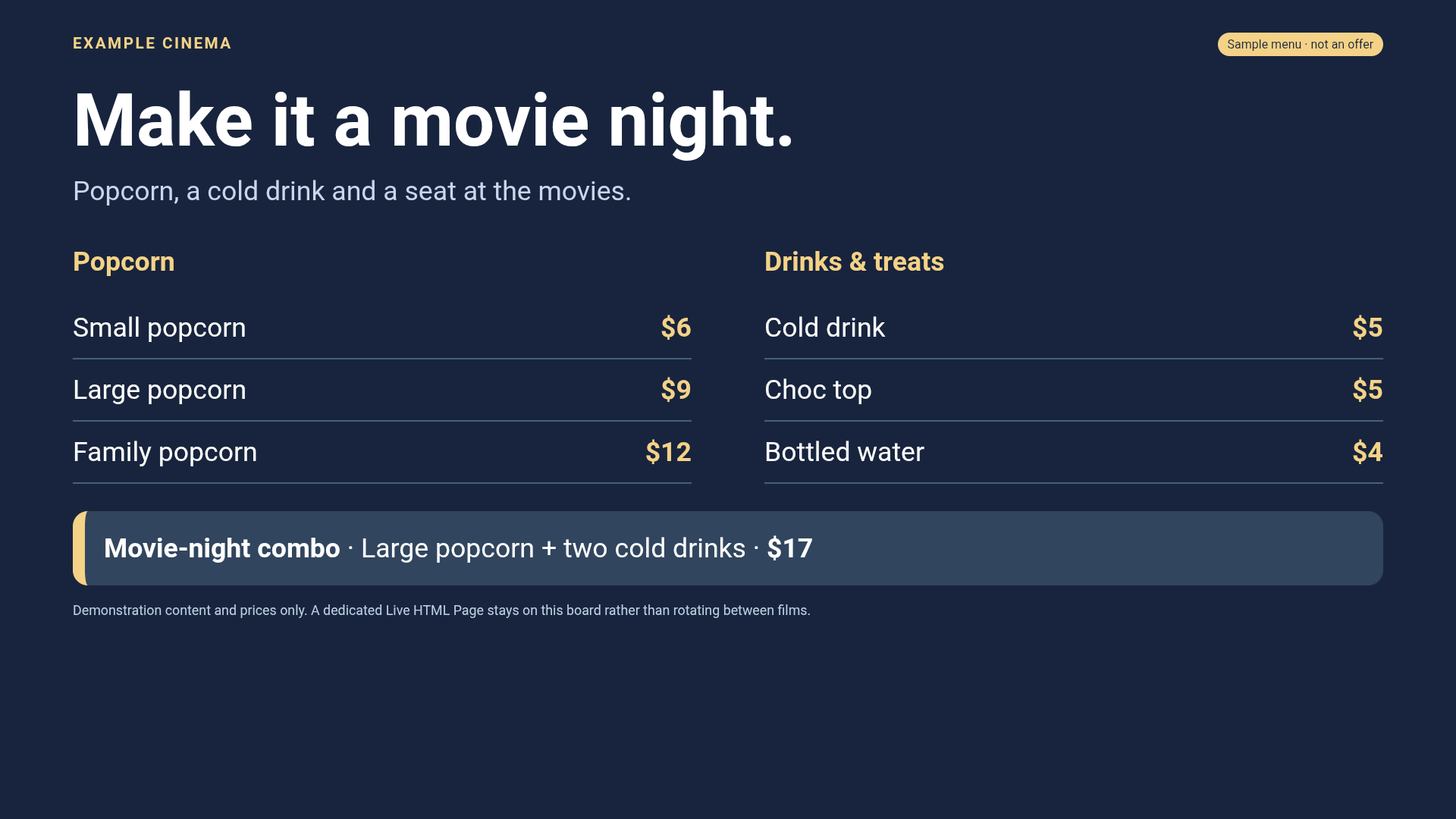
Live HTML Page
Dedicate a screen to an HTTP/HTTPS web page. Set a reload interval or use 0 when the page updates itself. Suitable for a centrally managed concession board or announcements.
Independent design packages
Custom modules can be designed, sold and installed separately from the APK. The bundled Basic Session Board (Test) demonstrates the data contract.
Campaigns, image adverts and animated live pages.
Advertising runs in Synchronized playback, with independent controls for each screen.
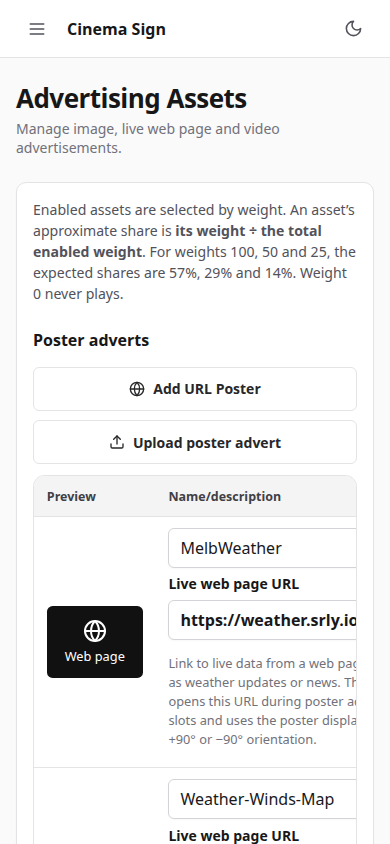
- Uploaded image posters and video adverts with previews
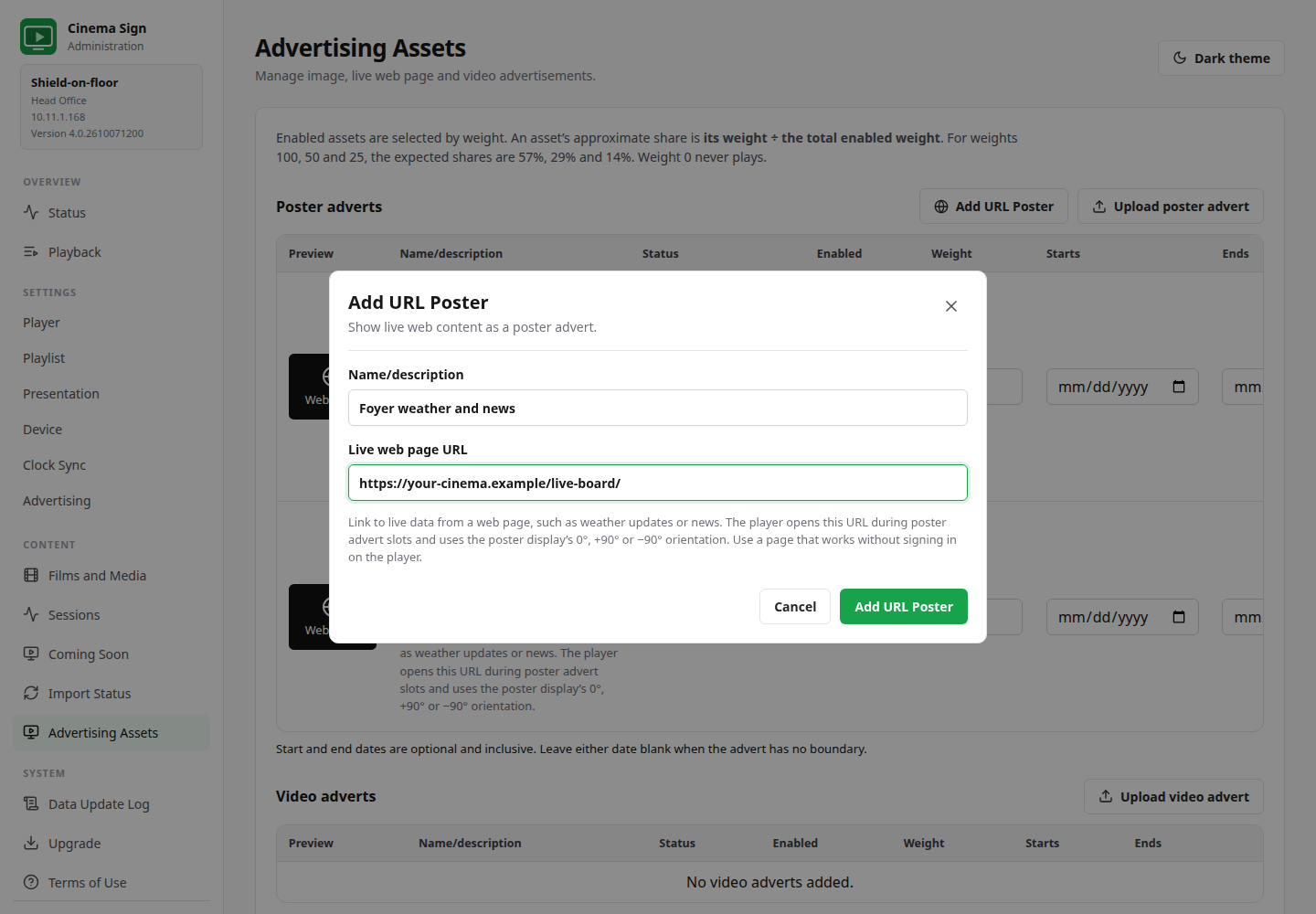
- Add URL Poster with name/description and a live HTTP/HTTPS page
- Enable/disable each asset and assign a weight from 0–100
- Inclusive campaign start/end dates, with either date optional
- Higher-weight assets receive proportionally more opportunities; weight 0 never plays
- Separate poster and trailer advertising intervals
- Poster adverts replace a full poster slot, including the detail area
- Trailer adverts start after the current video, not partway through it
- URL pages follow the selected 0°, +90° or −90° poster orientation
- One future URL browser preloads up to 30 seconds ahead, including within long poster slots
- The same browser becomes visible without a new page load at activation
- Visible CSS/canvas animations can continue; a ready future page pauses rendering
- Playback shows Next URL poster loading/readiness status
- Changed, skipped and finished web slots release unused browsers
- Advertising assets and URLs can be shared from a Cinema Sign master
- Interval changes rebuild the advertising playlist instead of retaining a stale schedule
The poster advert interval is start-to-start and rounds up to a slot boundary. With Poster Delay 7 seconds and advert interval 10 seconds, adverts begin every 14 seconds and each occupies one 7-second slot. Live pages still depend on source speed, connectivity and website compatibility.
Preloading, rotation, security and limitations → · Operator setup →
Shared data. Independent presentation.
- Dated full-day JSON playlists covering 00:00–23:59
- Schedule-weighted, Coming Soon and manually enabled/weighted playlist formulas
- Deterministic synchronized ordering and per-player playback offsets
- UDP player discovery, automatic clock-master election and forced roles
- Warnings when more than one player is forced as clock master
- Video drift measurement/rate correction and separate poster/video timing adjustments
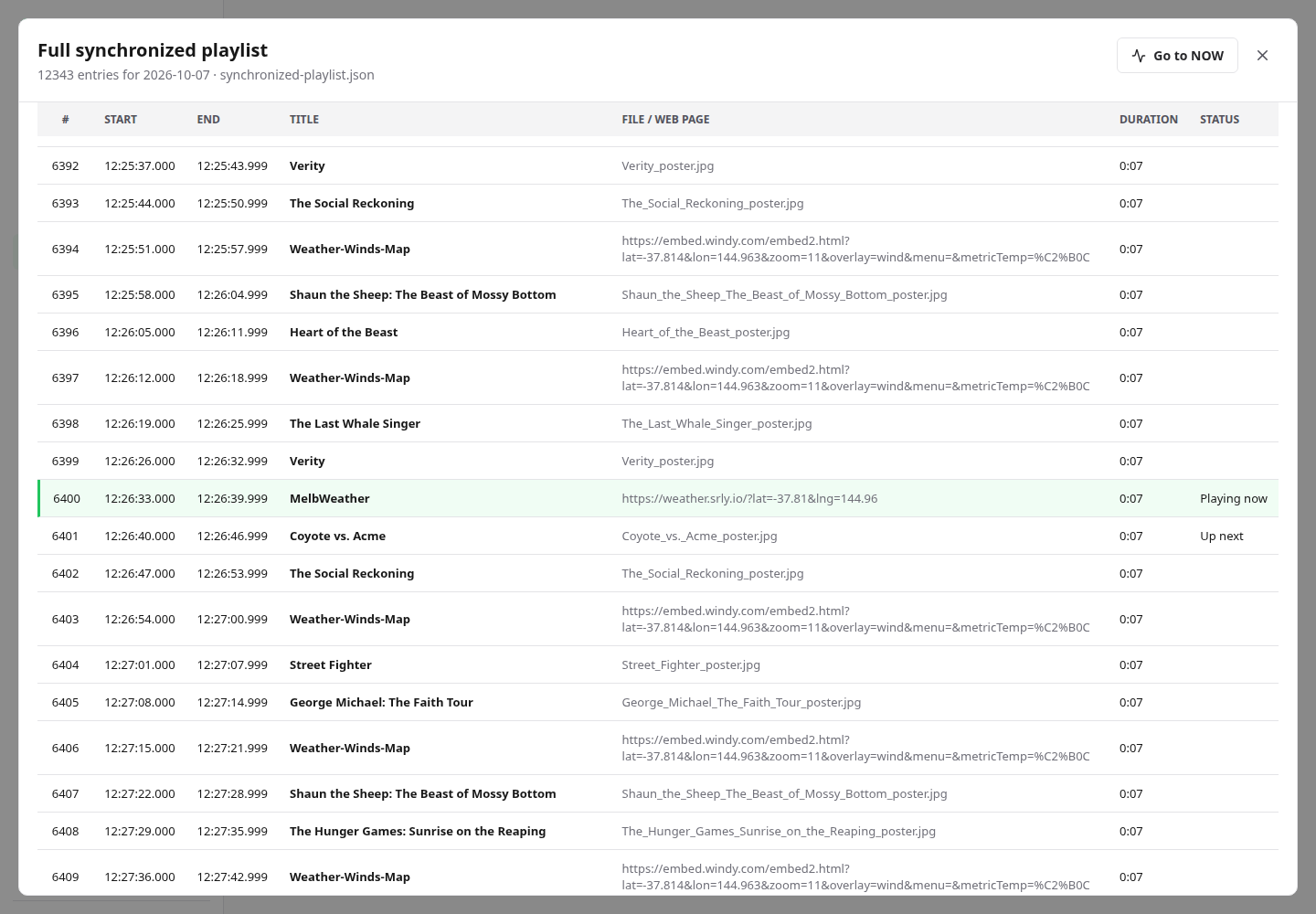
- Current item, exact playlist position and Up Next on Playback
- Scrollable full-playlist viewer with Go to NOW
- Follow Cinema Sign Master for films, sessions, cached media and advertising assets
- Followers keep their own content type, layout and advertising settings
Data sharing and clock synchronization are separate choices. Matching content across screens needs compatible playlist settings and media as well as aligned clocks. Live third-party pages are not guaranteed to animate in lockstep.
Choose the right film and the right media.
- Manual Add Title without automatic media downloads
- Search d-cine for title to add, using a stable catalogue ID, metadata and default poster
- Interactive poster/trailer search, language filtering, paging and explicit selection
- Only the chosen asset is downloaded; external video links are preview-only
- Explicitly selected trailers persist through automatic trailer discovery
- Film search, pagination, active/Coming Soon filters and a 31-day editable session grid
- Local title, classification, media and playback overrides survive imports
- Poster/MP4 uploads, download queues, progress and cached previews
- Automatic trailer discovery and bulk missing-trailer lookup
- Player storage cleanup button with recovered-space and permission reports
- Historical-film ageing and low-space warnings
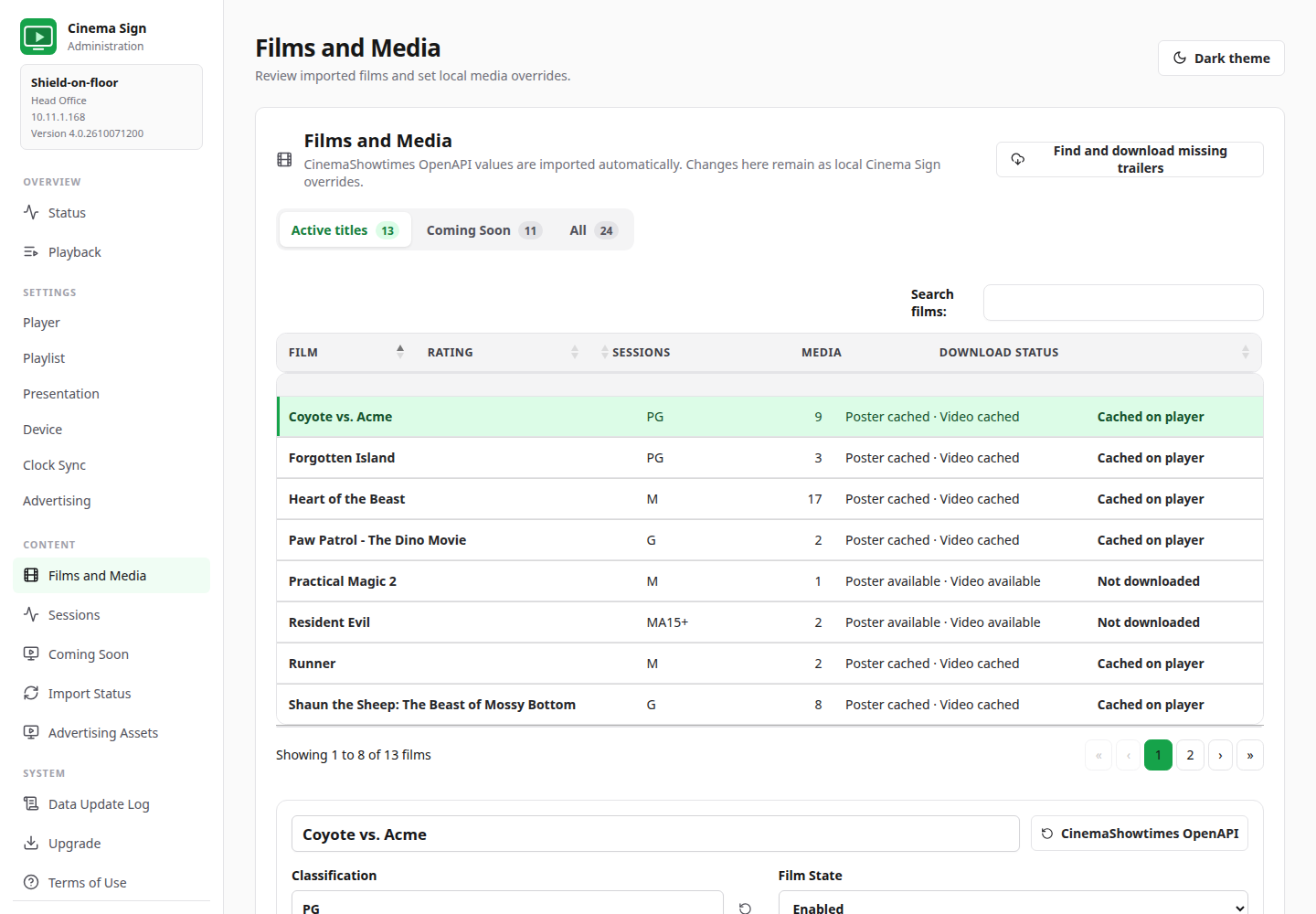
d-cine catalogue/media access uses your configured Media API key. The key is not included in the application. Imported titles can be corrected or matched manually where a provider’s naming differs.
Run it from a phone, tablet or computer.
- Responsive navigation, touch-sized controls and light/dark themes
- Screen name/location stays readable on short windows
- Scrollable option-table dialogs, with all 38 input choices reachable
- Dialogs fit phone viewports and restore keyboard focus
- Wide tables scroll locally instead of stretching the whole page
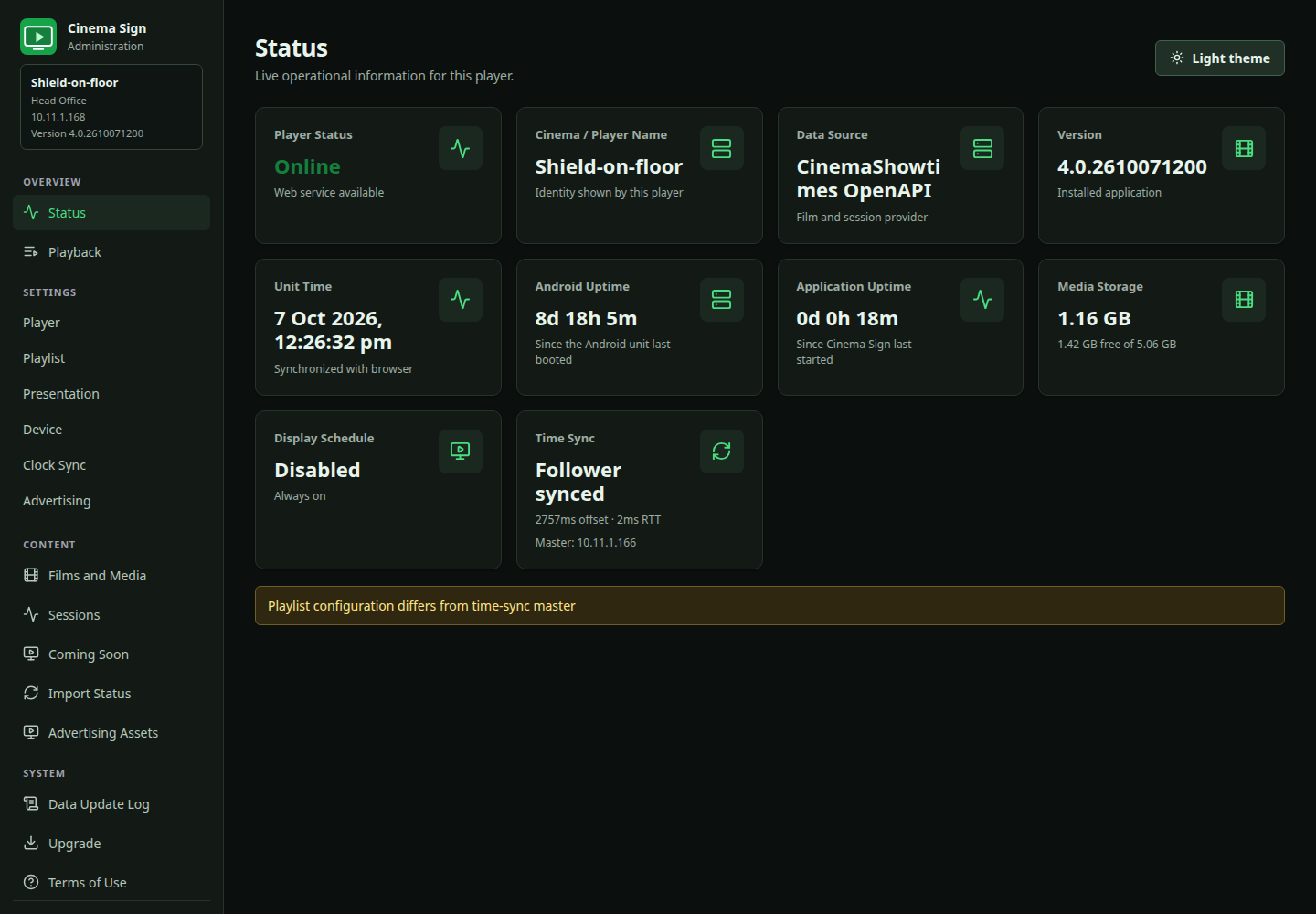
- Status and Playback, uptime, storage, current media and clock diagnostics
- Server-Sent Events, offline warnings and reconnect/reload handling
- Provider connection tests and visible import errors
- Release browser, APK download progress and Android installer approval
Practical unattended operation.
- Start on boot, display off/on schedule and nightly application restart
- Permission status for background startup, energy optimization and exact alarms
- Recovery alarm requests a relaunch after Android kills the running process
- Display-sized poster decoding, prompt transition cleanup and bounded display history
- Prepared posters/trailers cached locally; live pages remain network-dependent
- Missing poster retains the last good poster with a small indicator
- Missing or unreadable trailer uses a five-second slot with a centred “{Title} trailer missing” message
- Successfully read trailer durations retained across restarts
- Missing-media state available in status JSON
Recovery normally requests relaunch about 90–120 seconds after a process kill, but Android permissions and power restrictions can delay or prevent it. Normal exit and Force stop disable recovery. Device boot and HDMI-CEC screen power are separate and must be checked on your hardware.
Diagnostics that respect the player's storage.
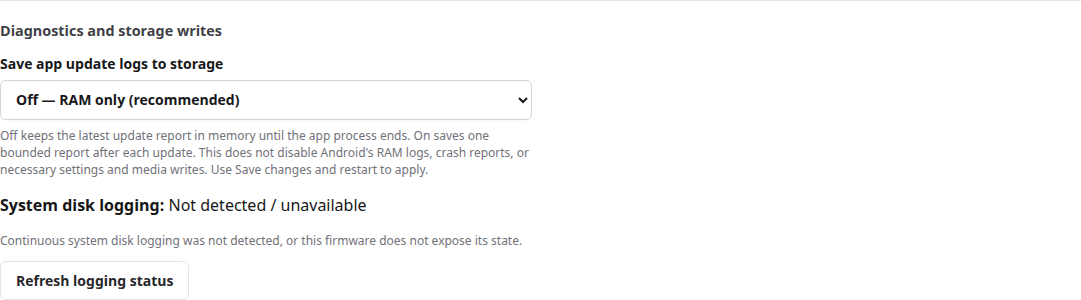
Keep the latest update report in RAM during normal operation; save it temporarily when troubleshooting a process restart.
- App update-log storage defaults Off on new and upgraded installations
- One bounded latest report rather than an accumulating log history
- Optional persistence for reports that must survive a process exit
- System disk-collector status checked without automatically requesting root
- System controls shown only after privileged access is confirmed
- Verified changes and honest denied/unavailable results
- Applicable Android permission warnings and settings-handler checks
- Cleanup results distinguish removed bytes from net free-space gain