

Player 4.2.32 · release · Manual updated 31 October 2026
The D‑Cine Player manual
Commission the player, prepare content and shows, run scheduled sessions, share a device screen, and keep the installation healthy.
Start with the task
First commissioning
Installation mode, login, licence, trusted time, picture, sound and the first test show.
Daily operator handbook
Ingest, check KDMs, build a show, schedule it and verify observed playback.
Complete interface reference
Every main page and Config group, transport controls, automation, outputs and maintenance.
AirPlay presentations
Enable the receiver on a specific interface/IP, enter Casting, connect and leave cleanly.
Disks and media recovery
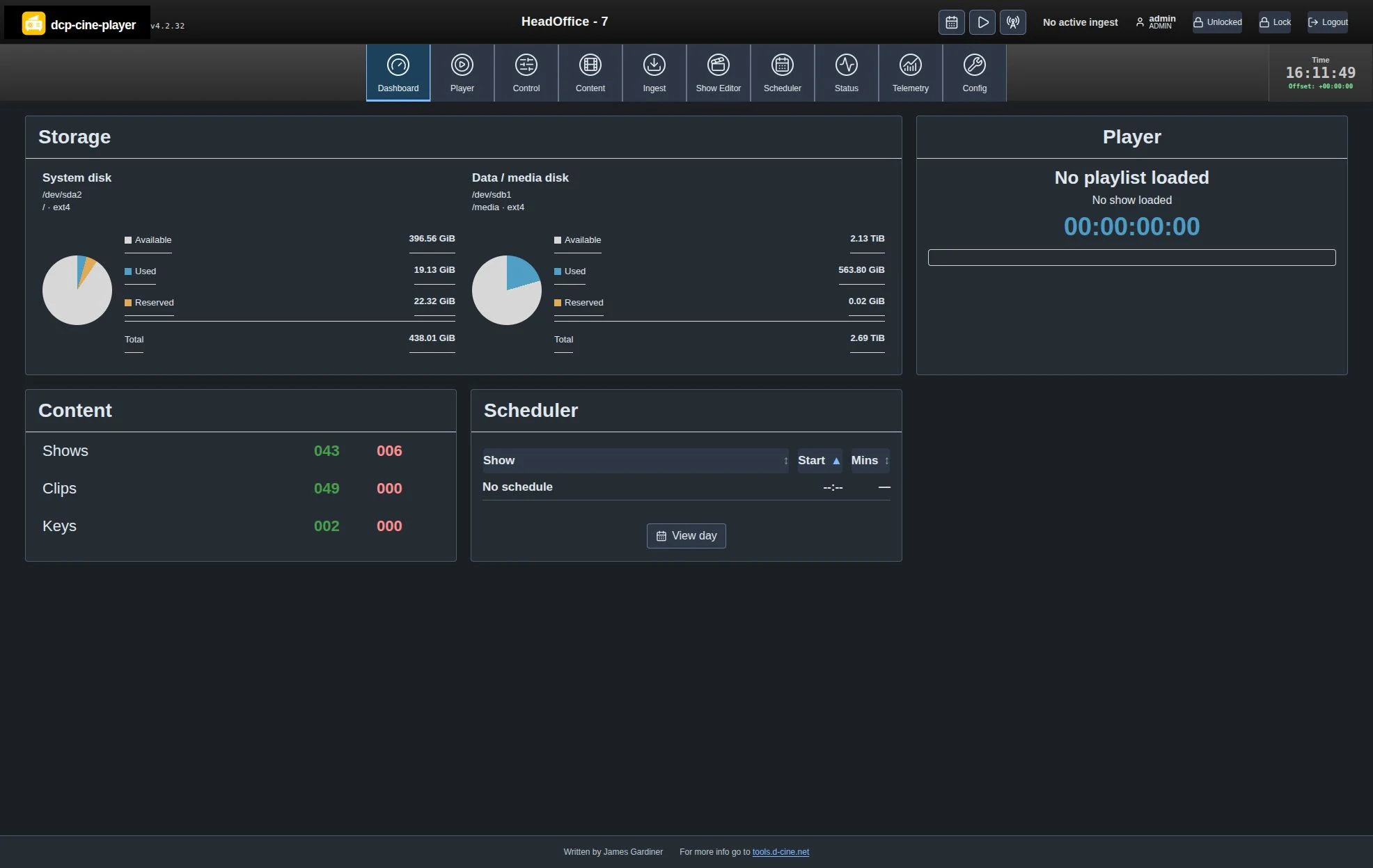
Read the two disk charts, check consistency and recover unindexed DCPs, KDMs or SPLs.
Status, audit and performance
Understand timestamps, named SPL/CPL events, schedule evidence and dropped-frame investigations.
Discovery and facility metadata
Public scan endpoints, authenticated APIs, licence serials and screen declarations.
Install and upgrade
Workstation/appliance paths, readable APT cache, signed releases and backups.
IMF compositions
Ingest and play supported unencrypted compositions; understand encryption limits.
EAR‑Tech encrypted media
Mastering, recipient-specific keys, delivery and protected playback.
D‑Cine Display Lock
Display enrollment, HDCP, DDL levels and hardware qualification.
Accounts and security
Role permissions, administrator-only password changes, keys and recovery.
Solve a problem
Checks for ingest, cues, schedule, storage, display, audio and Casting.
What changed recently?
- AirPlay Casting: an optional live presentation mode with a saved interface/IPv4 and a fresh connection code. It is disabled by default.
- Readable operations: light/dark themes, short-show hover names, chronological Dashboard schedule with minutes until start, and named Status events.
- Storage: separate system/media capacity charts and an administrator-run consistency and recovery workflow.
- Identity and integration: licence-issued serials, public discovery, actual software components and separate decoder/screen audio declarations.
- Maintenance: EDID/active-display diagnostics, clean Shift+Q application close, Contributions and offline notices.
The feature catalogue describes the wider product. The release notes distinguish this footer correction from earlier feature additions.
Written by James Gardiner · Documentation updated 2026-10-31. For more information visit tools.d-cine.net. Check procedures against the installed release and venue policy.