


Installation and handover
Give the music
a dependable home.
Set up the player, verify the audio path and prove unattended operation on the Android TV box you will actually install.
Before installation
A box, a network
and your audio.
- Android TV device, API 23 or newer, with compatible audio decoding.
- Storage for your MP3/WAV library and future updates.
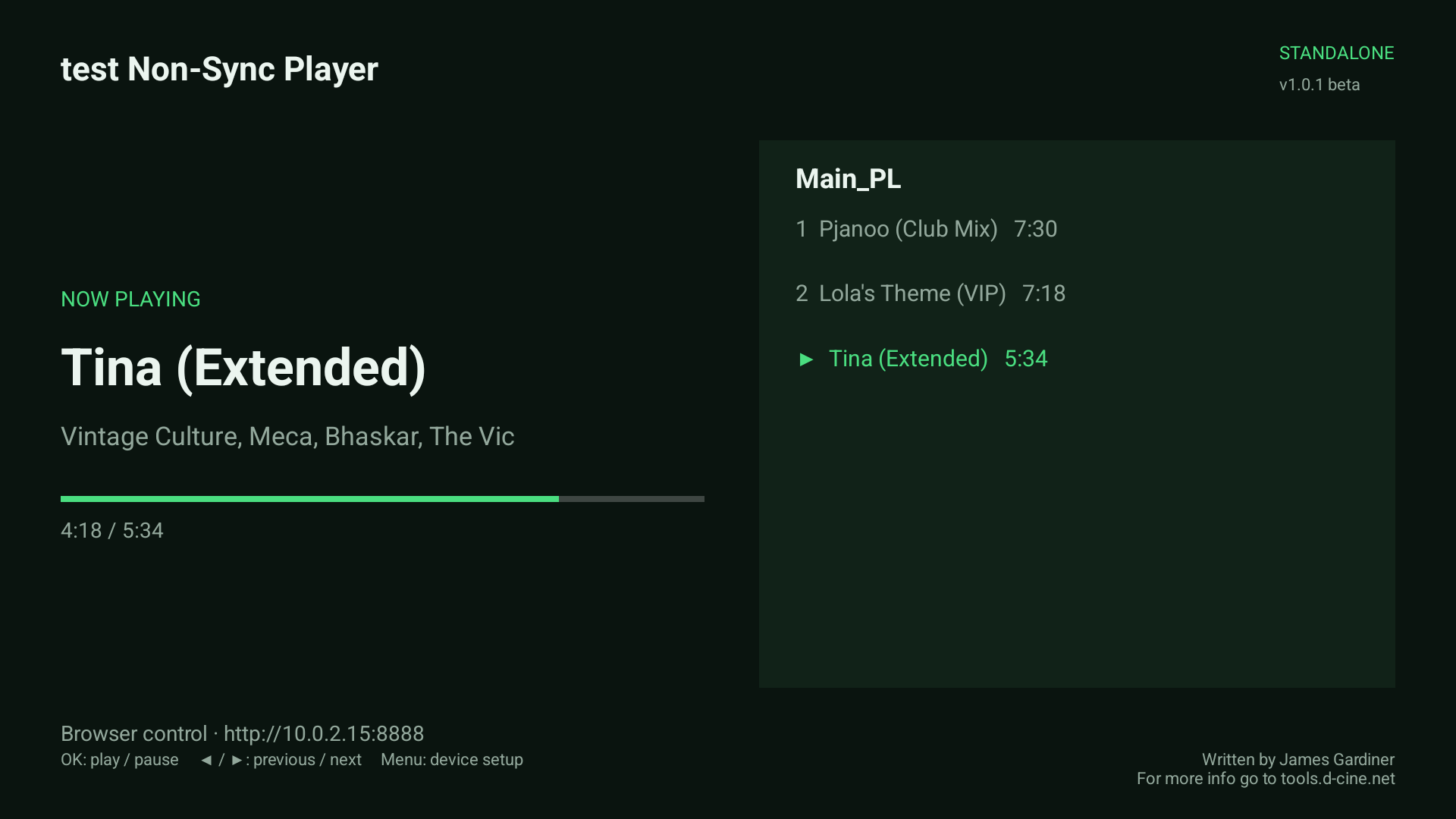
- A reachable local control network and a phone/computer browser.
- The required HDMI/audio connection, amplifier and speakers.
- Your original media files and the appropriate playback rights.
- Access to the TV to approve Android settings and installations.
The appliance checklist
Restart behaviour is part of setup.
Installing an APK is only the first step. Android controls background launches, energy settings and installation approval.
Choose the programme
Upload audio, save a playlist and choose it as the Startup playlist. Enable Start player after reboot.
Grant the right access
Review HOME, display-over-other-apps, energy optimisation, exact alarms and APK-install settings. Follow any relaunch warning shown by the player.
Prove the return
Test app restart, an approved network upgrade and a full reboot. Check the TV screen, browser access and actual sound after each.
Some TV firmware reports the HOME role assigned while retaining its built-in launcher. Enable display-over-other-apps access for automatic return in that situation. A Force stop disables recovery until the app is opened again.
Networking
Keep control on the venue LAN.
Browser control defaults to TCP 8888; playlist commands use TCP 8889. Optional coordinated playback uses UDP 39428 for clock traffic and UDP 39430 for audio/state. Keep these services on a trusted network; the local control protocols are not encrypted.
Network reference →Maintenance
Upgrade from the browser.
Check the official release feed, choose a compatible newer build and download it. Catalog downloads verify the published checksum, package, numeric version and signing certificate before Android installation.
Compatible updates retain the library and settings. APK upload and direct HTTPS download are also available. Android may require a person to approve the installation on the TV.
Upgrade walkthrough →Record before handover
- Player name, network address and installed version
- Default and seasonal playlist choices
- Audio routing, volume and output offsets
- Any master/slave group, ports and device destinations
- Where original audio and configuration notes are kept
- Restart, update and reboot acceptance results