


What the player does
Audio, playlists and the controls around them.
An Android TV player with a local browser interface, a seasonal calendar and connections for venue automation.
A local audio pool
Drop multiple MP3/WAV files onto the upload window or choose files with a native selector. Preview, search and categorise the library; reuse an item across playlists.
Library guide →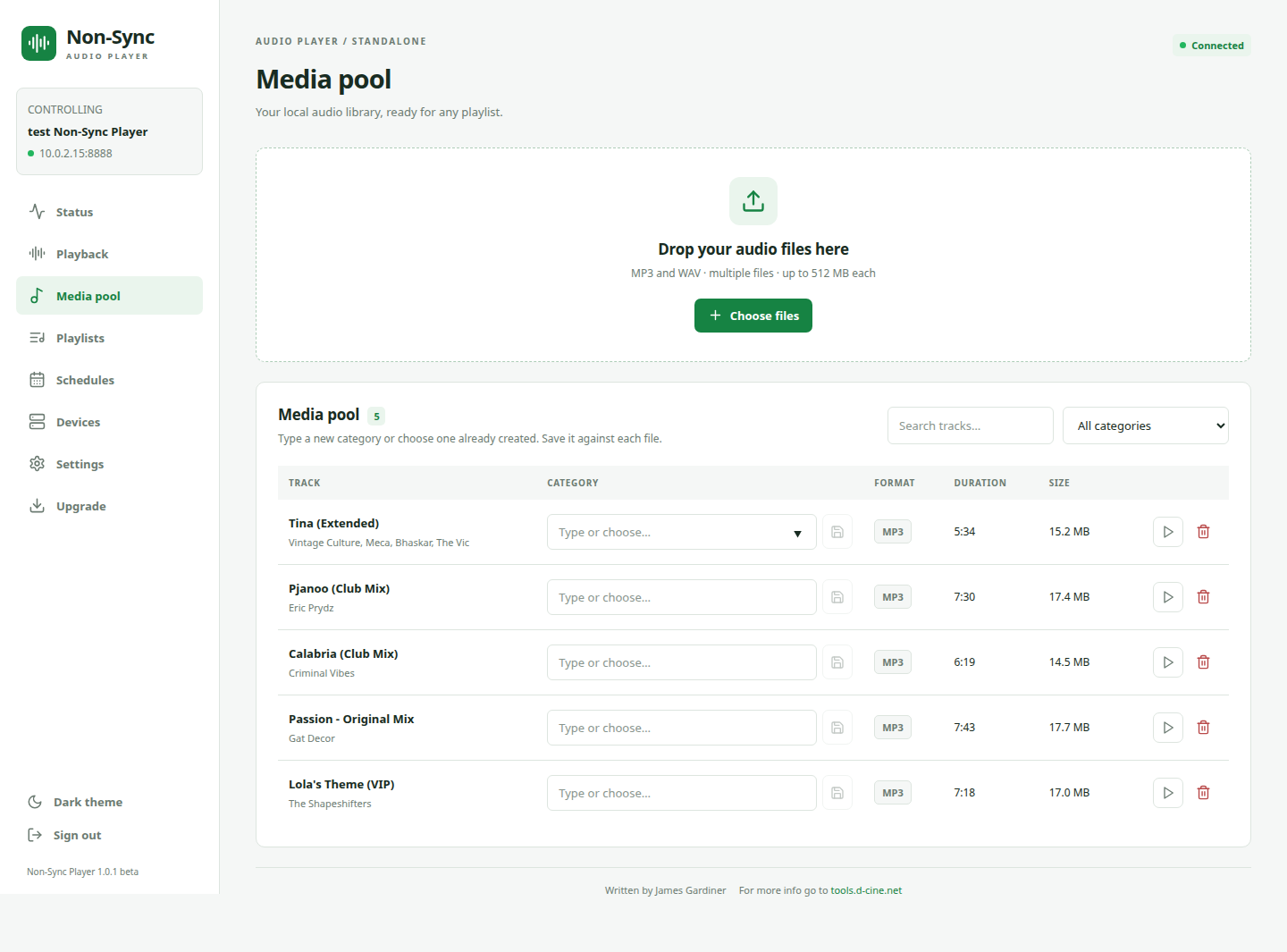
Playlists that fit the room
Create multiple named lists. Reorder by dragging or using arrows, repeat a programme and select a startup default. The same track can appear more than once.
Playlist guide →Dates that fit the season
Choose a day or inclusive date range, repeat it every year and resolve overlaps with priority. Operators can override playback temporarily and return to the calendar.
Calendar guide →A clear now-playing screen
Track title, artist, progress, operating mode, app version and the active playlist are visible on the TV. Remote shortcuts cover everyday transport.
Playback guide →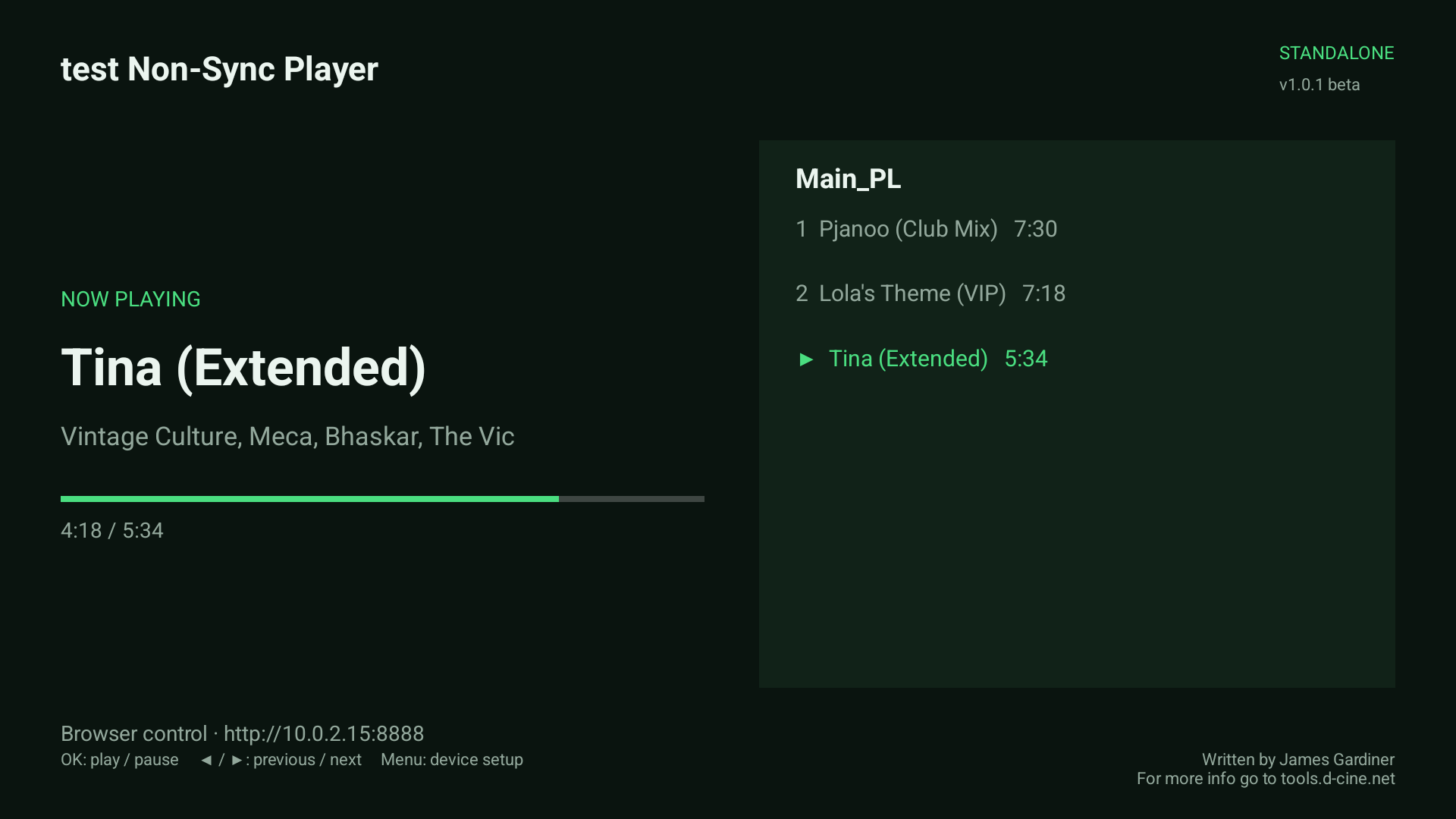
Automation in both directions
Listen for incoming TCP commands that choose playlists or control transport. Send outgoing TCP/UDP messages to saved devices at offsets within selected audio files.
Socket command reference →Cues attached to the audio
Each occurrence has its own cue positions. Reordering preserves the association; master-only sending avoids duplicate commands from slaves.
Cue behaviour →Optional coordinated playback
A master can broadcast decoded UDP audio, or slaves can follow using matching local playlists. Independent standalone operation remains available.
Master/slave setup →Built for a dedicated box
Startup selection, Android HOME support, a recovery alarm, optional daily app restart and verified network upgrades support appliance operation when firmware permissions are configured.
Installation and acceptance →See the operating state
Status brings together playback, storage, listener state, clock synchronization, recent activity, reporting health and release discovery.
Daily checks →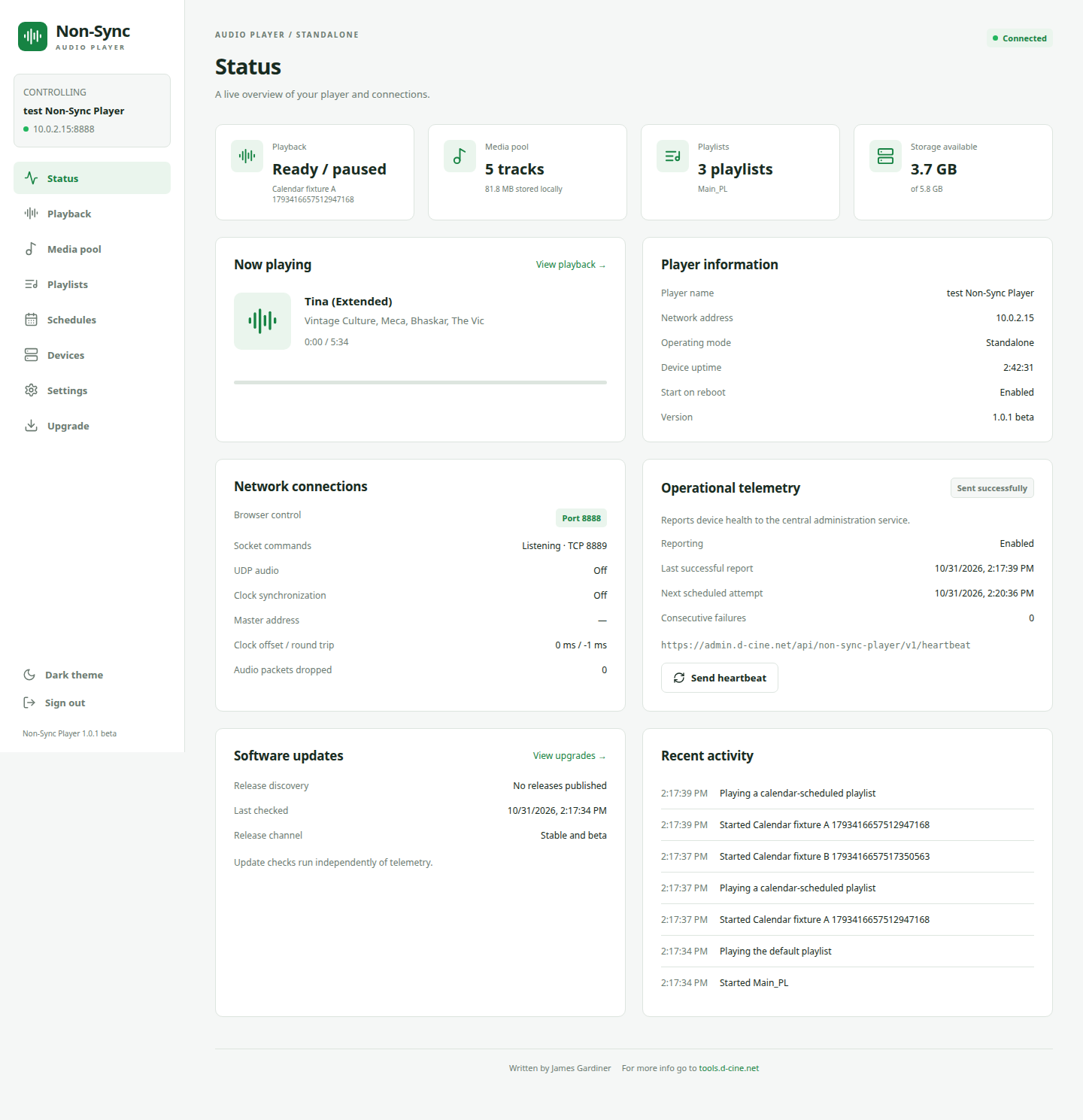
Know the current boundaries
Tested beta. Practical expectations.
| Area | Current behaviour |
|---|---|
| Files | MP3 and PCM16 mono/stereo WAV verified on the emulator. Other WAV encodings depend on the decoder. No gapless guarantee. |
| Scheduling | Whole-day windows in the Android timezone, with annual repetition. No hour-by-hour timetable. |
| Network audio | Application-specific UDP audio. Hardware output alignment and LAN/Wi-Fi behaviour need venue testing. |
| Automation | Text commands to equipment with compatible protocols. Sending does not confirm physical execution. |
| Upgrades and startup | Signed compatible APKs, appropriate Android permissions and installation approval. Behaviour varies by firmware. |
| Music and licensing | Supply your own files and obtain the necessary playback rights. No music service or content licence is included. |
Common questions
Before your first installation.
Does everyday playback need internet access?
Uploaded files play locally. Browser control needs a reachable local connection. Release discovery and optional operational reporting use outbound internet HTTPS; a network outage does not prevent standalone playback of stored audio.
Can it run independently and also support sync?
Yes. Standalone is one operating mode. Master and two slave modes add coordinated transport or UDP audio where required.
Can a phone control it?
A phone browser on a reachable local network can use the responsive control interface. Verify your browser and venue Wi-Fi arrangement during installation.
Can my automation start a playlist?
Enable the incoming TCP listener and send a newline-terminated PLAY command or token-protected JSON command. See the manual's command reference.
Does a successful update guarantee the app will reopen?
Android must allow automatic relaunch. Configure appliance access and test upgrade, app restart and reboot on the target box. Settings and Upgrade identify missing relaunch setup.