

D‑Cine Player · 4.2.32 release
DCP Cine Player AirPlay Casting
AirPlay screen mirroring through UxPlay, with explicit network selection and the player’s existing output controls.
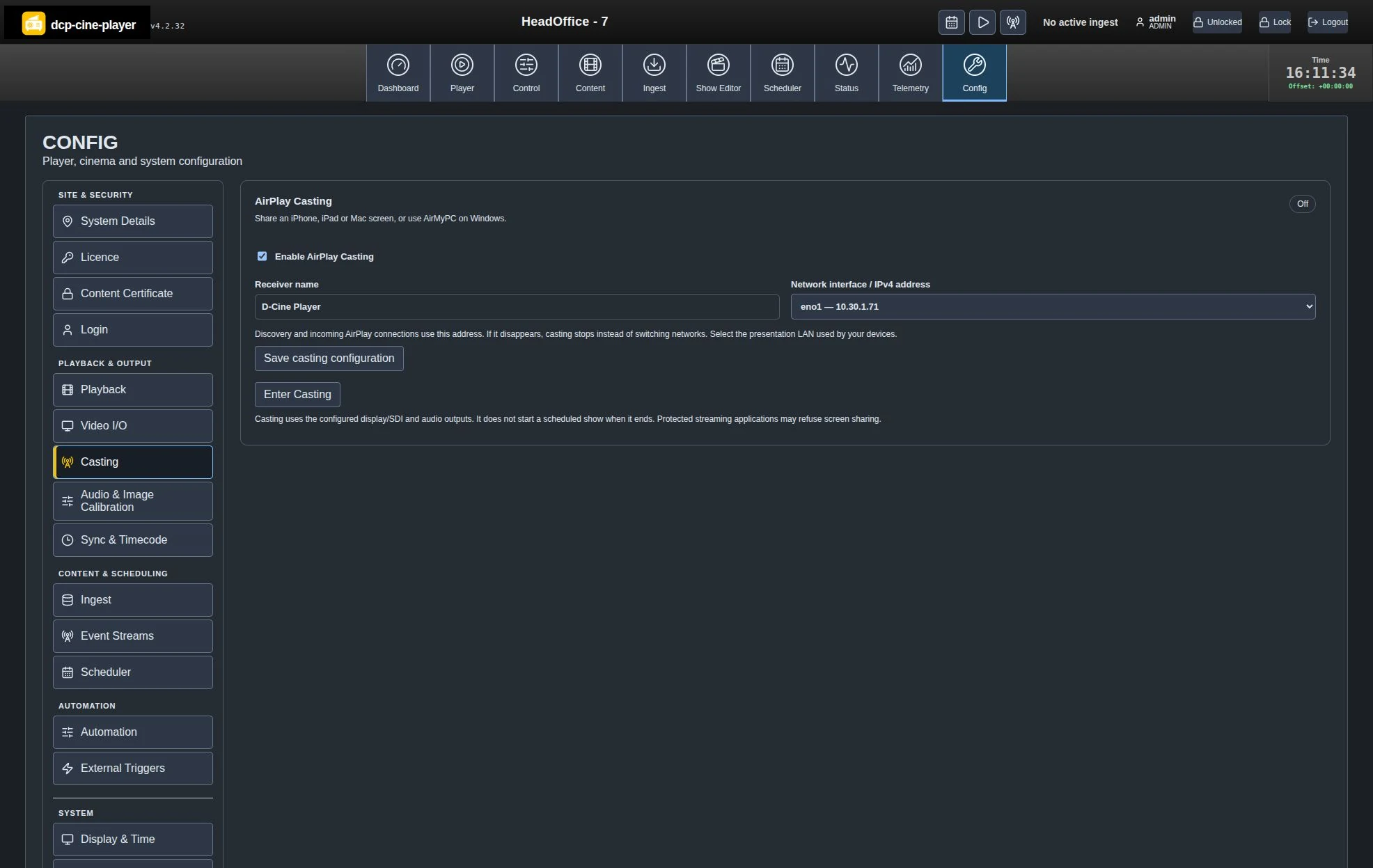
Choose the receiver’s network
An administrator enables Casting, chooses a unique receiver name and saves the exact interface/IPv4. AirPlay and mDNS use that selection; a missing address does not silently switch to another network.
The mode is disabled by default. Enabling a configuration does not start it, and reboot does not enter it automatically.
Enter. Connect. Present. Leave.
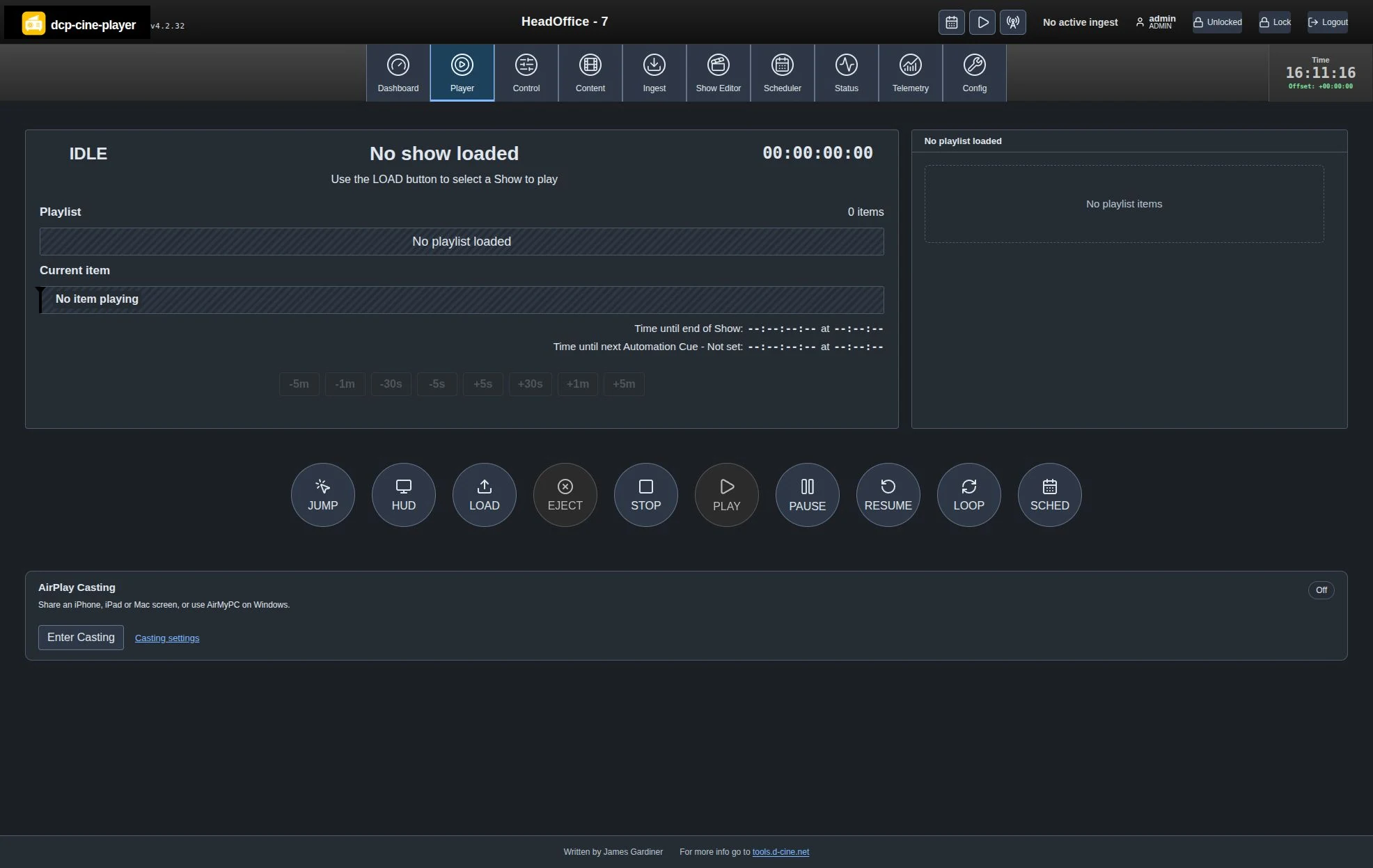
1 · Enter on Player
Stop ordinary playback, turn SCHED off and cancel Delay Play. Choose Enter Casting below the transport buttons.
2 · Connect one presenter
Select the receiver in iPhone/iPad/Mac Screen Mirroring and enter the fresh code when requested. Windows needs a compatible third-party AirPlay screen sender.
3 · Return deliberately
Leave Casting or Stop releases the outputs and restores the previous stopped selection. It does not start a show or enable SCHED.
Plan for the actual presentation
The initial target is H.264 up to 1080p30 with stereo audio through the configured local or Legacy Display SDI output. The sender and selected network must support reachability and mDNS discovery. The receiver reserves outputs while active, including while waiting after a sender disconnect.
Google Cast, Windows built-in Miracast, protected streaming-app playback, AirPlay audio-only/HLS and recording are outside this implementation. Real sender pairing, AAC‑ELD audio, physical outputs, latency/sync and sustained use require commissioning on the intended installation.
Setup and operator instructionsTechnical implementationWritten by James Gardiner · Documentation updated 2026-10-31. For more information visit tools.d-cine.net. Check procedures against the installed release and venue policy.