


Non-Sync Player · Android TV audio · 1.0.1 beta
Set the sound.
Run the room.
Your music, on your TV box. Build playlists, choose the season and manage playback from a browser on your local network.
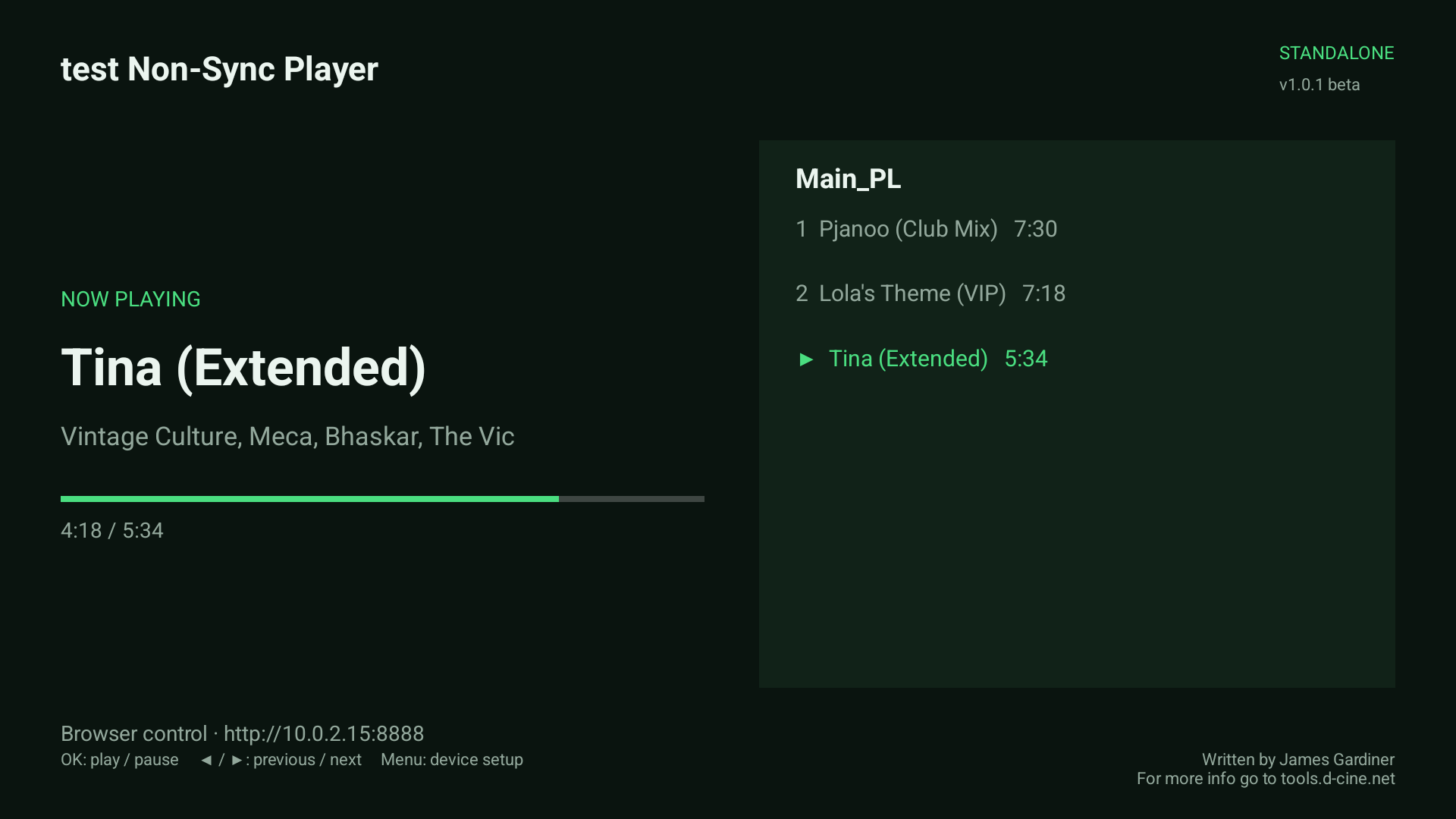
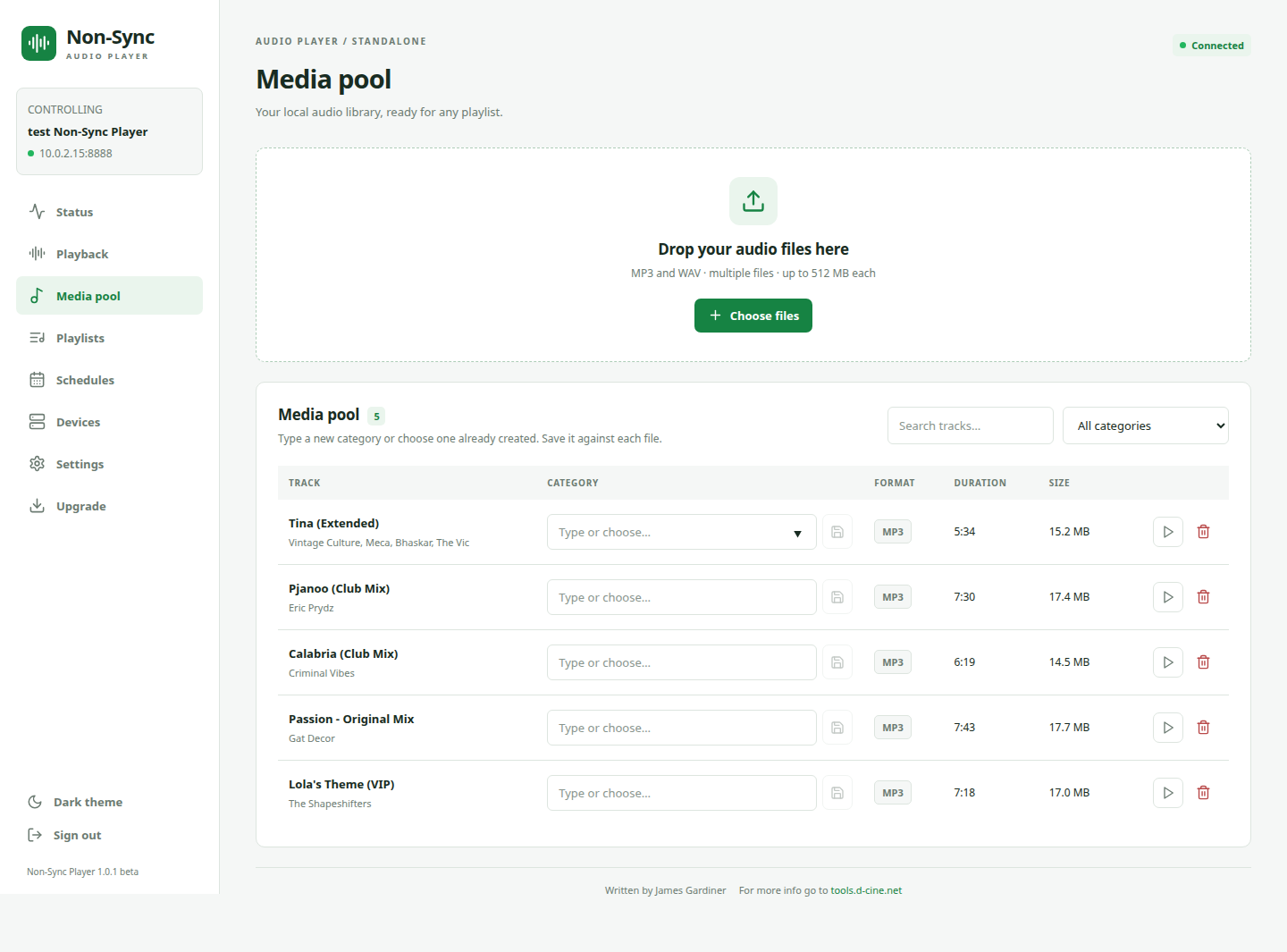
Actual Android TV emulator and browser interface. Music titles are user-supplied examples; no music is bundled. See the operator guide.
A music player for the venue
The programme lives on the player.
Keep background music ready for the foyer, bar or event space. Upload audio once, organise it into categories and reuse it across as many playlists as you need.
The TV gives staff a clear now-playing display. The browser handles the library and controls. Uploaded files remain on the device for playback without an internet connection.
See how the media pool works →Start with one room. Grow when you need to.
Independent playback.
Coordinated players, too.
Use a standalone player for everyday audio. When several devices need to follow one source, choose the master/slave arrangement that suits your installation.
One player.
Its own programme.
Local playlists, a default on startup, seasonal dates and browser or socket control.
One source.
Audio over the LAN.
A master broadcasts decoded audio to Non-Sync Player slaves. Receivers do not need copies of the music.
Matching files.
Shared transport.
Slaves play matching local playlists while following the master's timing and transport.
Synchronization and audio broadcast need acceptance on the actual devices and network. Acoustic alignment is not guaranteed by an emulator test.
Choose an operating mode →Music for the moment
Christmas, Halloween.
Or just this Saturday.
Give each season its own playlist. Set inclusive dates, repeat annually and choose priorities when windows overlap. The normal startup playlist takes over outside scheduled dates.
An operator can still make a manual change. Follow calendar brings the player back to its automatic selection.
Plan a seasonal playlist →Example calendar plan
- Everyday foyerThe default playlist between calendar windows
- Halloween31 October · annual
- Christmas1–26 December · annual
- Private eventA chosen date · higher priority
Connect the room
A command at the right point in the track.
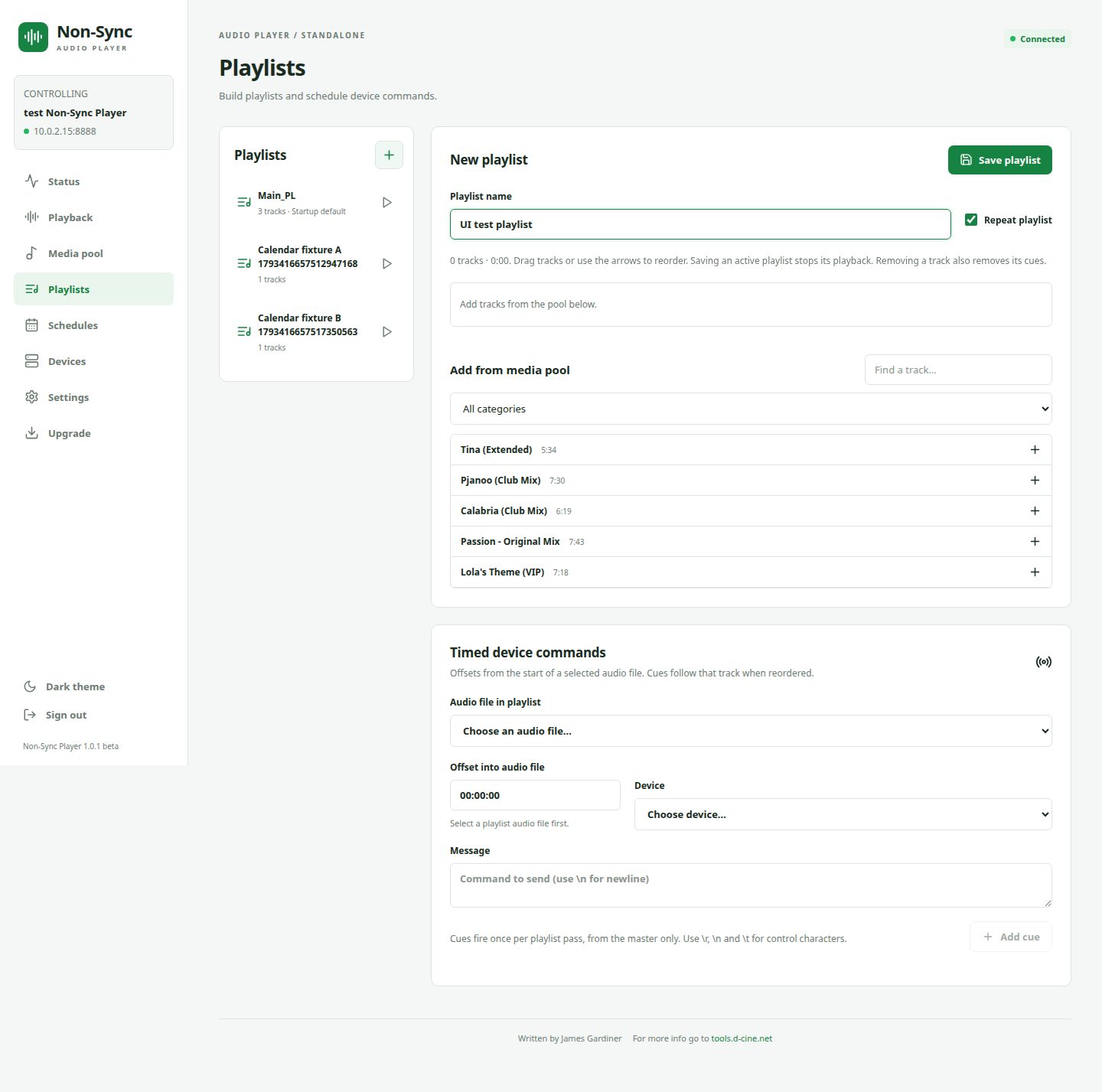
Attach a TCP or UDP message to an offset within a selected audio-file occurrence. Move the track in the playlist and the cue follows it.
Need an external controller to choose the music? The incoming socket listener can start a named playlist, pause, skip, seek or read status.
Explore cues and automation →From first install to daily operation
Put the operator in control.
The illustrated manual covers the whole player: getting connected, organising audio, schedules, equipment commands, network audio and reliable restart setup.
Install and connect
Open the signed APK on Android TV, connect to the local browser address and complete appliance permissions.
Build the programme
Upload your audio, create playlists and choose the default. Add seasonal dates or automation when needed.
Check it in the room
Listen to the real audio output. Test restart, update and reboot on the actual box before handover.
Non-Sync Player · 1.0.1 beta
Start with one playlist.
Get the player, then follow the first-playlist walkthrough.