



Choose what plays and in what order
Settings → Playlist
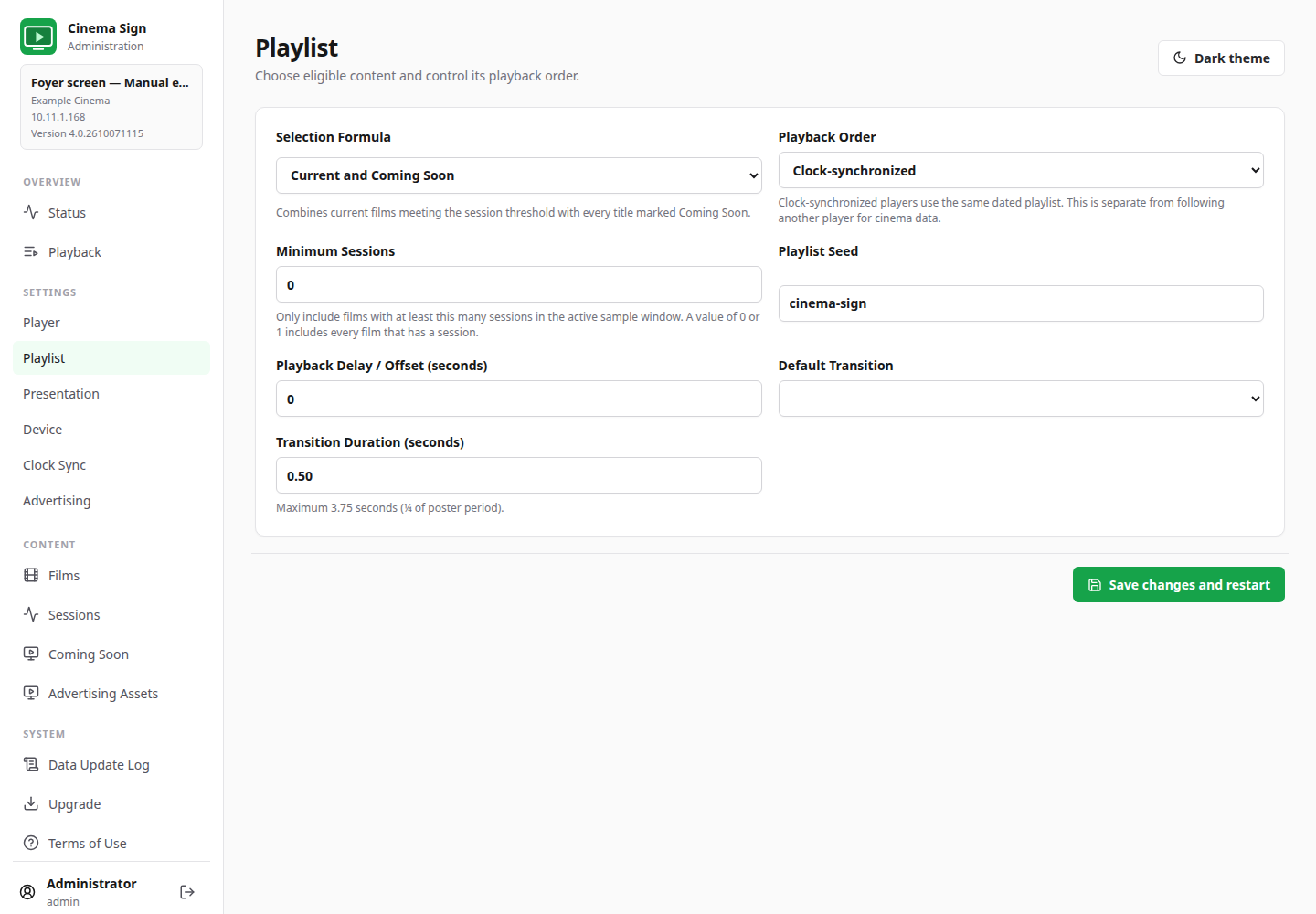
The playlist rules decide which films are eligible. Presentation decides how those films look. Change the playlist when the right films are not appearing; change Presentation when the right films appear in the wrong layout.
| Formula | What it includes | Useful for |
|---|---|---|
| Scheduled sessions | Films with qualifying sessions in the active sample window. Session count affects frequency. | Promoting the current programme. |
| Coming Soon | Films selected as Coming Soon. | A dedicated advance-promotion screen. |
| Current and Coming Soon | Current films meeting the minimum session threshold, plus Coming Soon titles. | A foyer sign showing both today's programme and future releases. |
| Enabled films | Enabled films with suitable media/type settings, using their manual playback weights. | A deliberately chosen promotional list that does not depend on sessions. |
Scheduled sessions normally uses today and tomorrow. Near the end of an imported schedule, it uses the final four schedule days. Minimum Sessions applies to the active sample window. Start with 0 or 1 if every film with a session should qualify.
Random or Clock-synchronized?
- Random: this player makes its own selections. It is useful when matching screens is not required.
- Clock-synchronized: uses a dated, repeatable playlist tied to the clock. Playback can show the planned sequence and include advert slots.
For advertising, choose Clock-synchronized. For matching multiple signs, also match the programme, seed, timing and advertising settings and configure clock synchronization. Clock-synchronized playback alone does not copy data from another player.
Weights, seeds and delays
With Enabled films, a larger Playback Weight gives a title more opportunities. It does not mean “play this film next”. A Playlist Seed helps generate a repeatable sequence; matching players should use the same seed. Playback Delay / Offset shifts timing by seconds. Leave it at the intended venue value unless you are deliberately adjusting a multi-screen installation.
Poster transitions
Choose Cut, Fade, Crossfade, Slide Left, Slide Right or Zoom. Cut changes immediately. Other choices animate the change. The transition duration is limited to a quarter of the Poster Delay. A short transition is easier to read and lighter on modest hardware.
A still screenshot cannot demonstrate the animation. Watch at least two changes on the physical display after selecting a transition. Use a simple transition if a heavy live web page or older player struggles.

