



Promote Coming Soon films
Coming Soon lets you promote a film before it has sessions. It is an explicit selection or source policy; simply having no sessions does not make every title Coming Soon.
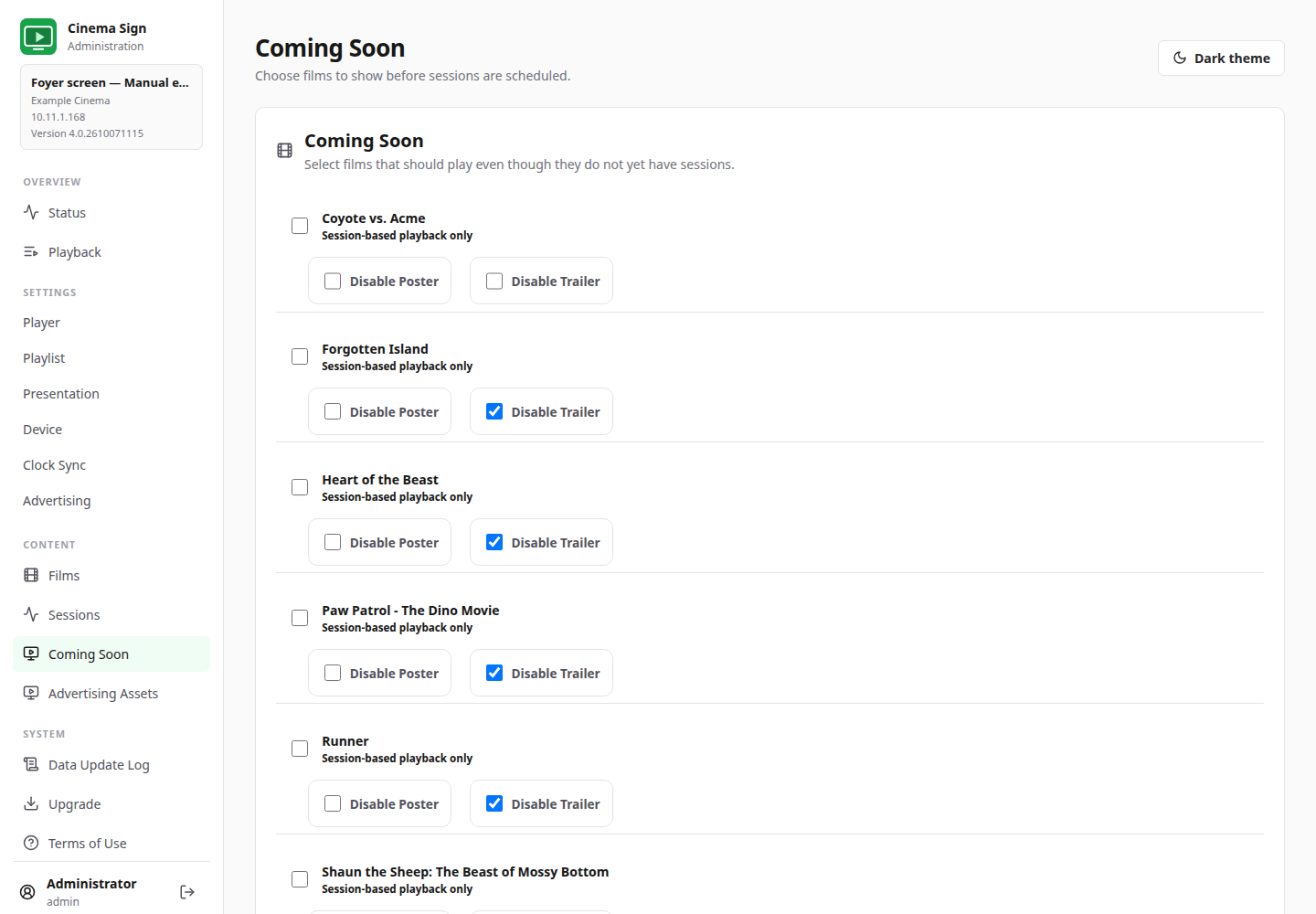
- Open Coming Soon.
- Tick the title you want to promote.
- If wanted, tick Show “Coming Soon” along bottom.
- Use Disable Poster or Disable Trailer if only one type of media should be used.
- Save the page's changes.
- Open Settings → Playlist. Choose Coming Soon for only those titles, or Current and Coming Soon to mix them with scheduled films.
- Save and check the physical screen.

Why a Coming Soon film may not appear
- The selection formula is Scheduled sessions rather than a formula that includes Coming Soon.
- The film is disabled, or the poster/trailer is disabled for the selected display type.
- The required media is not cached or cannot be read.
- The title was changed locally and its existing media no longer matches the stored filename.
Imported Coming Soon selections
Some feeds provide Coming Soon status; others need local selections. TaPOS / MEDIA2 gives you three policies and a Reset to imported status button for each overridden film. See the TaPOS chapter rather than assuming an unscheduled title is always Coming Soon.
When a film opens, review both its sessions and Coming Soon setting. Remove a manual Coming Soon banner when it should no longer be displayed.
Back to contents ↑
