

Free Digital Cinema Package utilities
DCP Tools
Receive, locate, inspect and research the compositions and assets inside a Digital Cinema Package.
Understand the package
DCPs are complex. The workflow should not be.
Digital Cinema Packages contain interdependent picture, audio, subtitle and metadata assets. A single package can also contain multiple compositions that share material.
DCP Tools provides a practical path for receiving a package, finding a composition, locating its parent DCP and examining the technical information around it.
Available workflows
From transfer to technical research
WA DCP Player
Play unencrypted DCP and IMF folders from your own computer, inspect conformance and use image/audio analysis without uploading media.
Open WA DCP PlayerWA DCP Maker
Create an unencrypted 2K DCP locally with guided framing, sound, captions and naming. Includes an optional conservative stereo-to-5.1 upmix and a separate offline Mac app.
Open WA DCP MakerWA DCP Audio Fix
Analyse DCP sound, display waveforms, adjust programme gain or create a conservative 5.1 upmix, then save a separate package with the original picture.
Open WA DCP Audio FixWA DCP SDR to HDR
Map SDR DCP pictures and caption colours to DCI XYZ/PQ for compatible HDR playback systems, with new HDR signalling and a separate output package.
Open WA DCP SDR to HDRWA DCP to Encrypted DCP
Encrypt a local DCP, create signed DKDMs for your selected certificates and register the CPL and d-Cine.net DKDM in KdmGen. Media files stay on this computer.
Open WA DCP to Encrypted DCPWA DCP CPL rename
Choose a DCP and one CPL, create an ISDCF-conformant name and save a separate DCP copy with the selected composition and its required media, fonts and images.
Open WA DCP CPL renameAssets and analysis
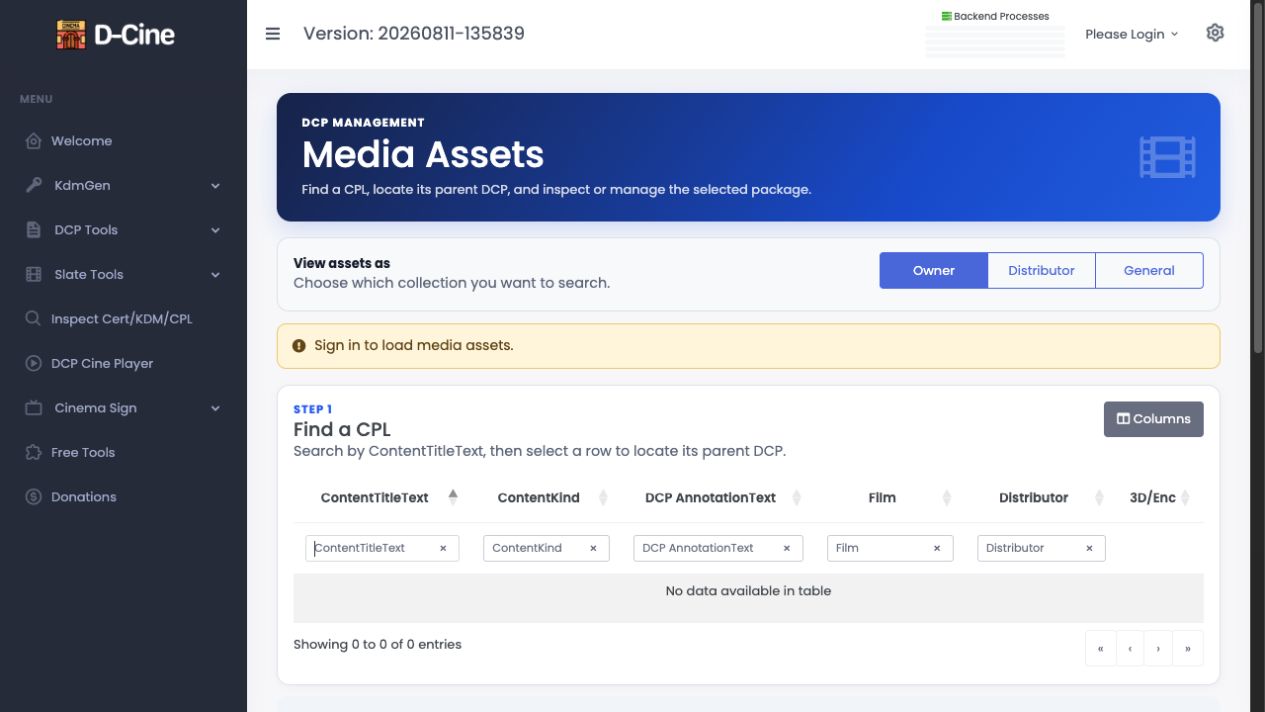
Review ingested DCPs, compositions and related assets. See the technical information needed to understand a package and identify anything that needs attention.
Open Assets and analysisDCP ingest
Upload or transfer a DCP for processing. The ingest help explains supported transfer methods and how to prepare large cinema packages.
Open DCP ingestIngest help
Choose an appropriate transfer method, understand the supplied credentials and avoid common problems when moving a large DCP to D-Cine.net.
Open Ingest helpCPL research
Search composition metadata to investigate naming, audio, picture and distribution trends across registered content.
Open CPL researchAccess
Free to use
These tools are provided as a practical resource for cinema exhibitors, distributors and content producers. Some operations—including private asset storage and ingest—require a free D-Cine.net account.